



Menu Item "Standard Documents"
Standard Documents are intended to make it easier for you to work with general documents (e.g. certificates, driving licenses).
When you change an employee's position type or primary position, you can assign the associated standard documents to them.
You then don't need to create the documents to be filed from scratch every time.
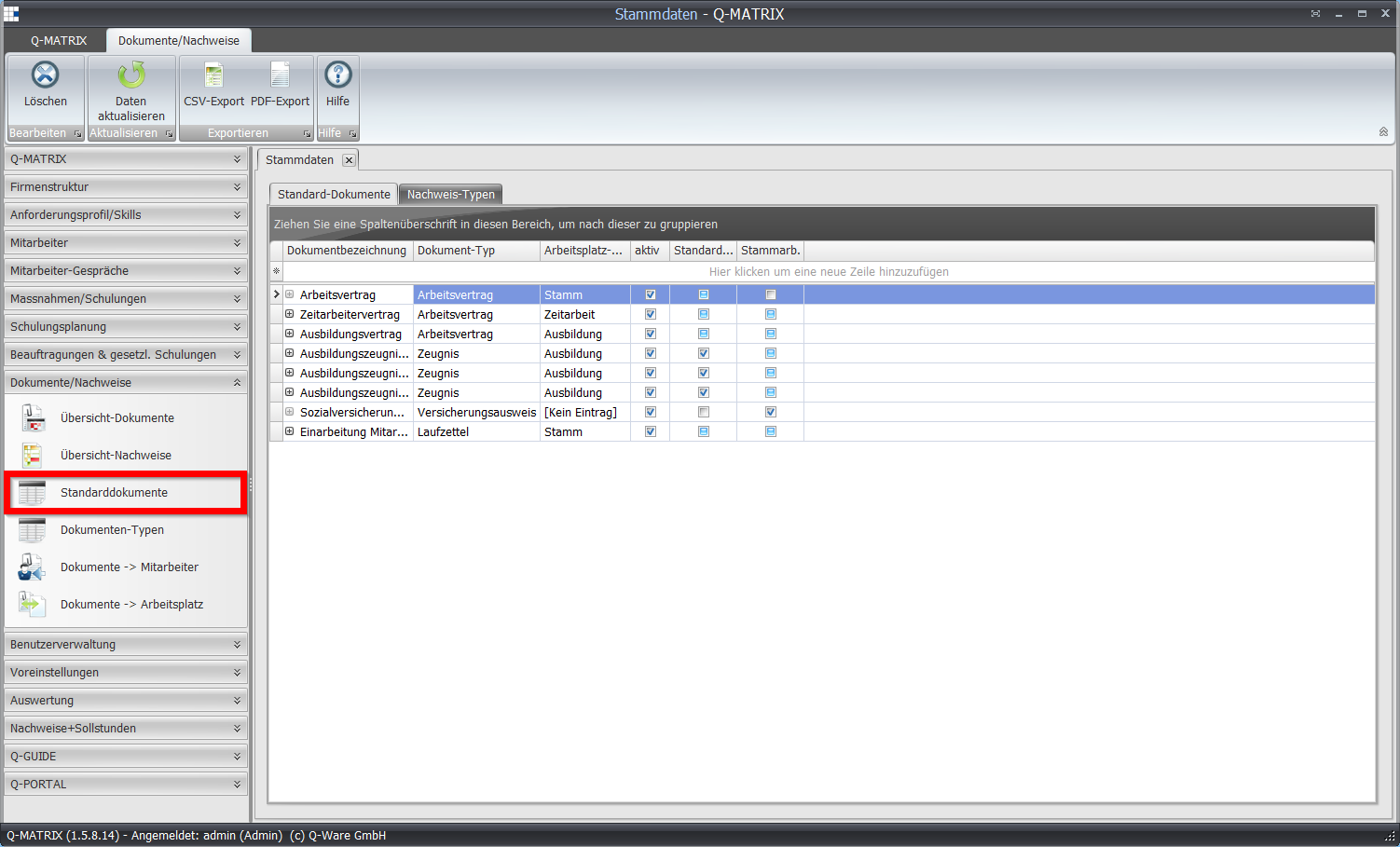
| Document Name | Give the document a name. |
| Document Type | Assign a document type (e.g. certificate, contract). |
| Position Type | Specify which employees this document should be assigned to. The assignment is done via the position type (e.g. full-time, part-time). This takes into account cases where you need different documents, e.g. for full-time employees and apprentices. For documents assigned via the position, please see Standard Documents. |
| Active | Select (small checkmark) whether this document should be assigned to your employees when assigned to the selected position type. |
| Standard Release | Select (small checkmark) whether managers automatically receive visibility approval or not. |
| Primary Position | Select (small checkmark) whether the document should be automatically assigned when an employee is assigned to their primary position. |
If a document has at least one position assigned, the preceding icon is active ( ) rather than inactive (
 ).
).
Clicking the active icon opens an associated detail view, and the assigned positions can be managed.
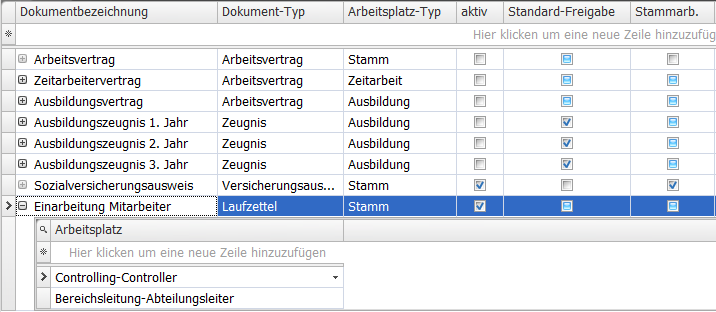
You can delete the assigned positions via the context menu.
Use the wizard to add new positions.