



Program Screen
The program screen for Q-Portal is based on recurring elements.
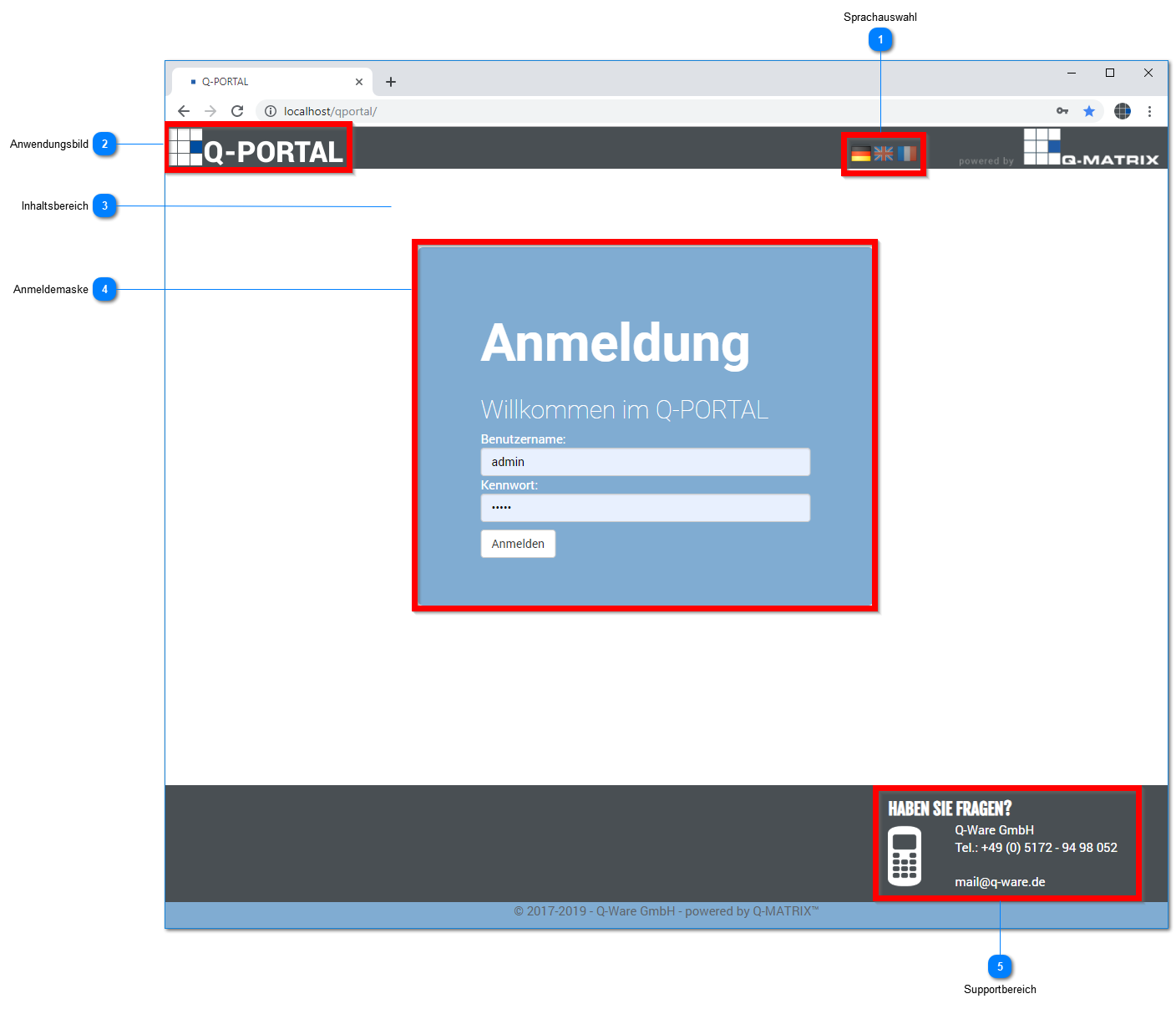
Language Selection
Click one of the flags to select the desired language.
The currently active language is highlighted, while inactive languages are shown darkened.
By default, German is always initially shown as the active language ( ).
).
 | German | Switches the active user interface language to German. |
 | English | Switches the active user interface language to English. |
 | French | Switches the active user interface language to French. |
Application Image
The default image is always initially the application's logo.
Your administrator can replace this image with your company logo or another image.
Clicking this image / logo always takes you to the home page.
Content Area
All information from the various functions is displayed here.
You can find more about this in the user interface.
Login Screen
The home page contains the program login
| Username | Enter the username here. You will receive this from your administrator or HR department. |
| Password | Enter the password for your username here. |
Support Area
You can find hotline information here. After installation, our contact details are shown there.
Your administrator can replace this information with your company-specific information.