



Inactive Users
Shows you the tabular overview of all inactive users.
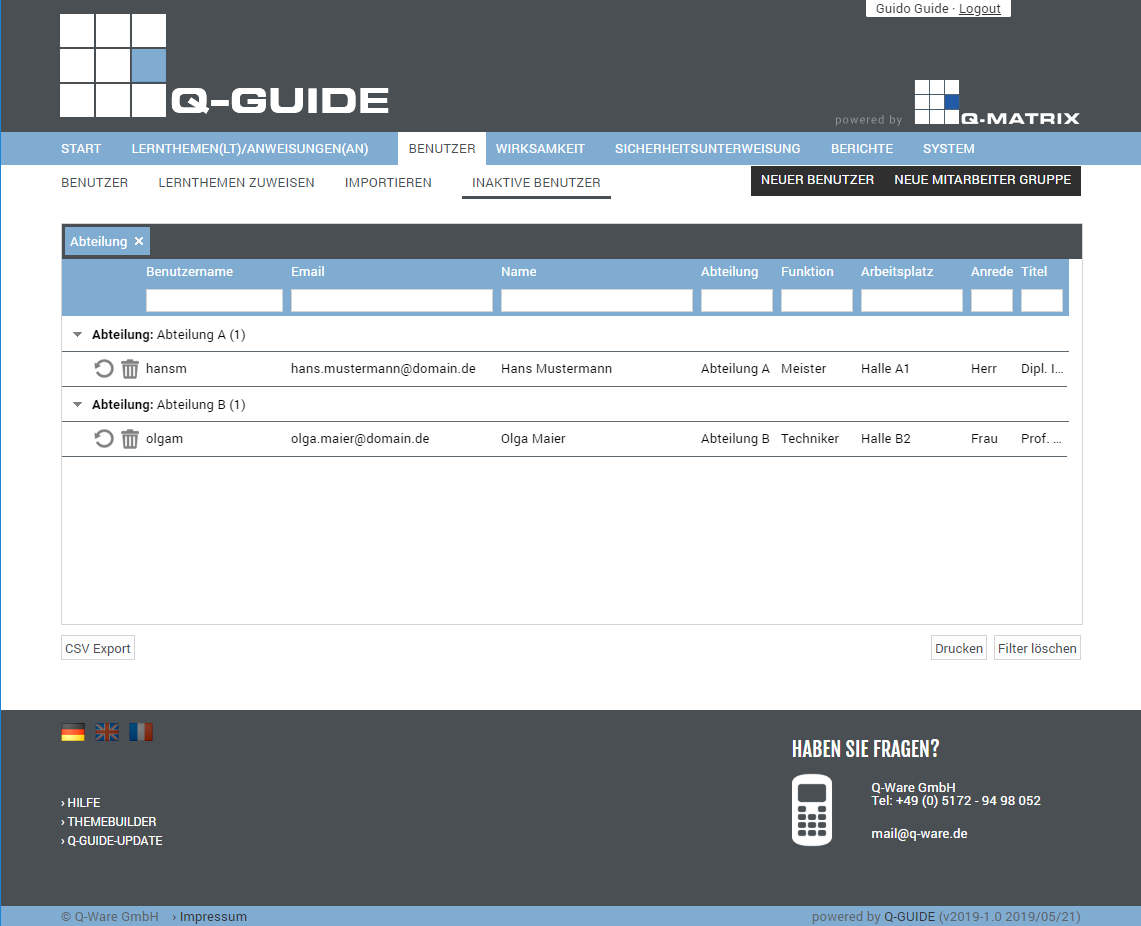
The following columns are available in the tabular listing:
| Reactivate | Clicking  reactivates the user record, adding it back to the active users reactivates the user record, adding it back to the active users |
| Delete Permanently | Clicking  permanently deletes the user record from the database permanently deletes the user record from the database |
| Username | This column shows the username |
| This column shows the user's email address | |
| Name | This column shows the user's name (first and last name) |
| Department | This column shows the user's department |
| Function | This column shows the user's function |
| Workplace | This column shows the user's workplace |
| Salutation | This column shows the user's salutation |
| Title | This column shows the user's title |
You can use these functions:
| CSV Export | Exports all user data shown in the table to the file "Benutzer Liste Stand vom <today>.csv" as a CSV file. The CSV file contains the fields listed in the table as columns. |
Opens the browser's print preview for this table (for example, in Google Chrome):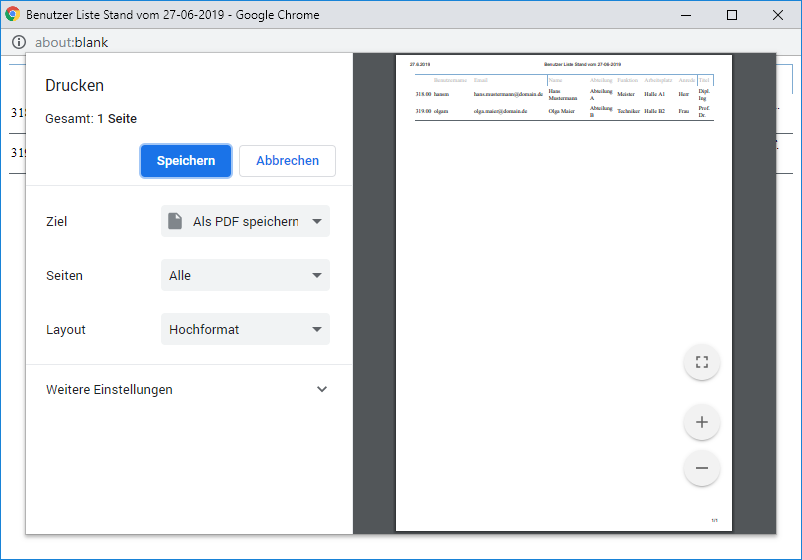 | |
| Clear Filter | Clears all filters / settings for the user data selection, and after clicking this button, all available records are displayed. |