



Tab "Document Templates"
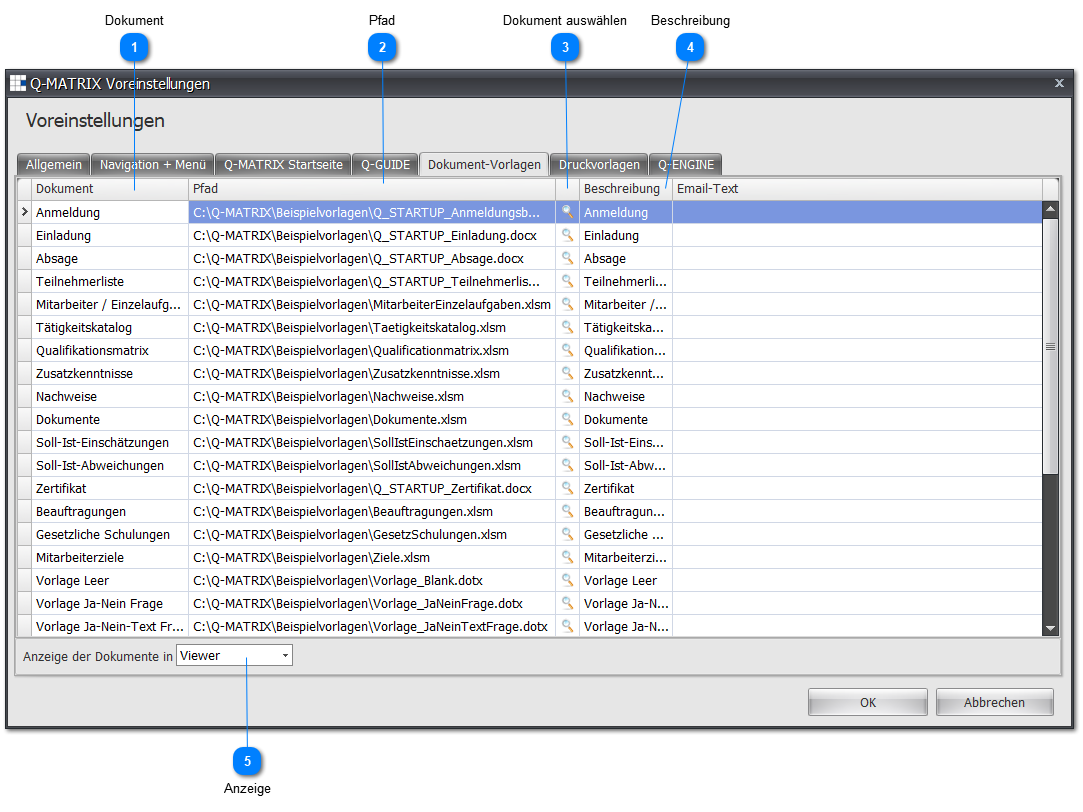
The preferences of the "Document Templates" tab are as follows:
Note:
The documents shown in the images are part of the standard installation of Q-Matrix™, i.e. all documents for your further use can be found in the Beispieldokumente (sample documents) subfolder of the installation folder.
You can use these Microsoft Office documents to create your own documents/templates.
 Document
Name/label of the document. The following standard documents are currently used in Q-Matrix™:
| Document | Use |
| ANMELDUNG | Word template (mail merge) for registering participants for a measure |
| EINLADUNG | Word template (mail merge) for inviting participants to a measure |
| ABSAGE | Word template (mail merge) for cancelling a measure for participants |
| TEILNEHMERLISTE | Word template (mail merge) for measure participants |
| MITARBEITEREINZELAUFGABEN | Excel template for exporting the "Employee Individual Tasks" evaluation |
| TAETIGKEITSKATALOG | Excel template for exporting the "Activity Catalog" evaluation |
| QUALIFIKATIONSMATRIX | Excel template for exporting the "Qualification Matrix" evaluation |
| ZUSATZKENNTNISSE | Excel template for exporting the "Additional Skills" evaluation |
| UEBERSICHTNACHWEISE | Excel template for exporting the "Proofs" evaluation |
| UEBERSICHTDOKUMENTE | Excel template for exporting the "Documents" evaluation |
| SOLLISTEINSCHAETZUNG | Excel template for exporting the "Target/Actual Assessment" evaluation |
| SOLLISTABWEICHUNG | Excel template for exporting the "Target/Actual Deviation" evaluation |
| ZERTIFIKAT | Word template (mail merge) for the certificate of attendance of participants |
| BEAUFTRAGUNGEN | Excel template for exporting the "Assignments" evaluation |
| GESETZLICH | Excel template for exporting the "Statutory" evaluation |
| MITARBEITERZIELE | Excel template for exporting the "Employee Objectives" evaluation |
| VORLAGEBLANK | Word template for an employee interview - Content: Blank |
| VORLAGEJANEINFRAGE | Word template for an employee interview - Content: Yes/No question |
| VORLAGEJANEINTEXTFRAGE | Word template for an employee interview - Content: Yes/No question with text |
| VORLAGETEXTFRAGE | Word template for an employee interview - Content: Text question |
| VORLAGEZAHLFRAGE | Word template for an employee interview - Content: Number question |
| VORLAGEZAHLTEXTFRAGE | Word template for an employee interview - Content: Number question with text |
| VORLAGEFRAGENINTRO | Word template for an employee interview - Content: Questions introduction text |
| VORLAGEEINZELAUFGABENINTRO | Word template for an employee interview - Content: Individual tasks introduction text |
| VORLAGEKOMPETENZENINTRO | Word template for an employee interview - Content: Competencies introduction text |
| VORLAGEEINZELAUFGABEN | Word template for an employee interview - Content: Individual tasks text |
| VORLAGEKOMPETENZEN | Word template for an employee interview - Content: Competencies text |
| STELLENBESCHREIBUNG | Word template for a job description |
 Path
Path
If the path and document name are known, they can be entered directly in the text input field.
Click the icon under point 3 for dialog-based entry.
 Select Document

Clicking this icon opens a file selection dialog to make an assignment for the selected row/document.
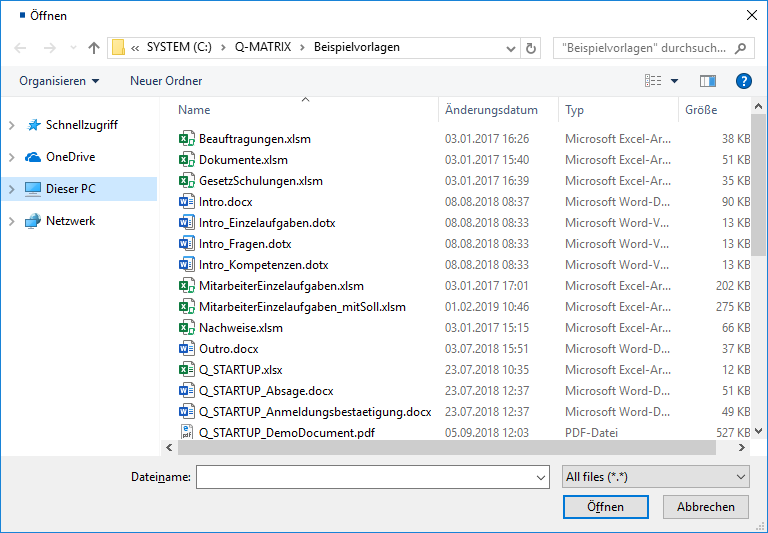
Clicking Open enters the selected file into point 2.
 Description
A brief description of the use of the document within Q-Matrix™.
 Display
An evaluation is "saved" or "printed" at various points in the program.
Whenever no printer icon is visible for this action, a data export is performed in the background.
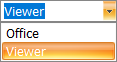
The result of this export can then be viewed either via a special "viewer" or via Microsoft Office.
The setting made here determines whether the built-in special viewer or Microsoft Office programs are used for display within Q-Matrix™.
If you select Office, please note the setting from the General tab.