



Expiring Validities
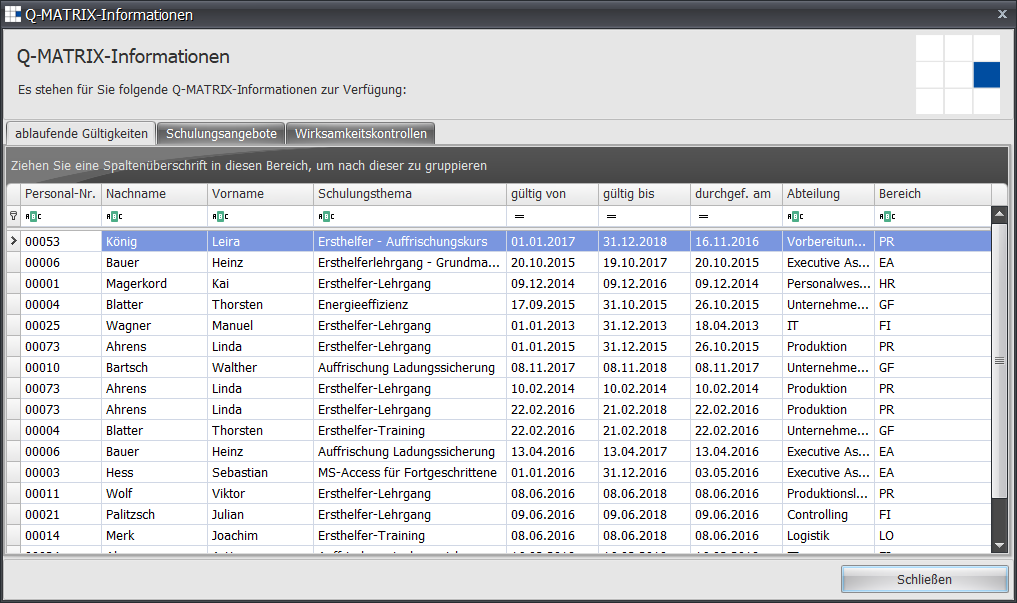
After a successful login, a check is performed to display expiring validities.
If, starting from today's date, there are measures/training courses within the next 60 days that have a validity date earlier than today's date plus (+) 60 days, all these training courses are listed for the respective employees.
This list is displayed depending on the user role, i.e. a user always only sees the information relevant to their role.
For example, an HR employee sees all information, while a department head only sees information for their department.
Many of the settings for measures are configured by HR or the administrator and are automatically pre-filled via the measures catalog.
For example, the validity (2) of legally required training courses is stored there.
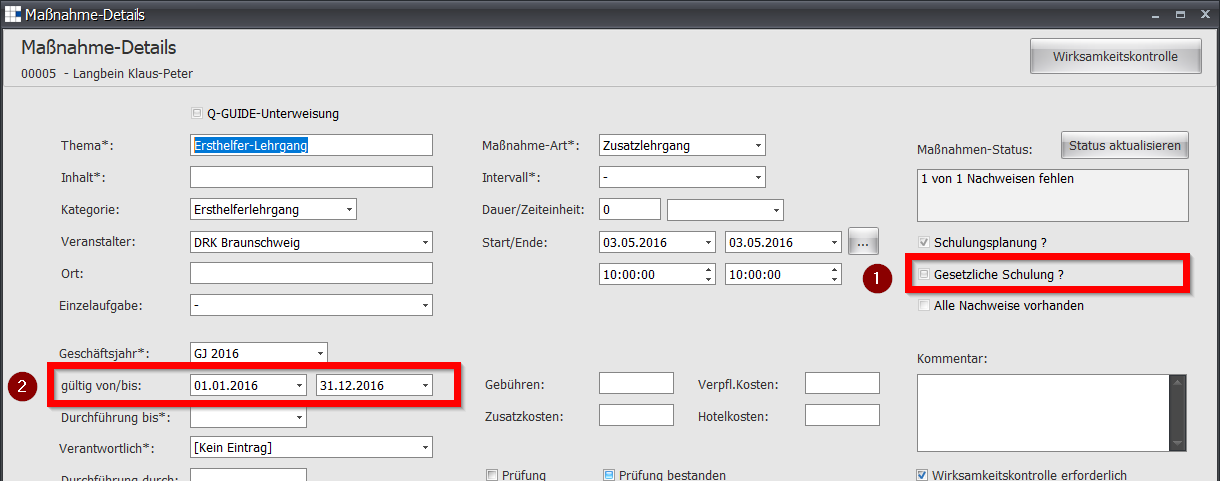
The pre-filled information is automatically set with the valid values upon adoption.
Furthermore, legally required training courses (1) or the note for training planning (2) can only be created via HR.
Examples: Today = 02/22/2016 Today + 60 days = 04/22/2016
| Measure | valid from | valid until | Validity | Display |
| Training 1 | 03/01/2015 | 02/29/2016 | 365 | Yes |
| Training 2 | 04/01/2014 | 03/31/2016 | 730 | Yes |
| Training 3 | 01/01/2015 | 12/31/2015 | - | No |
| Training 4 | 08/01/2015 | 07/31/2016 | 365 | No |