Menu Item "Measures Catalog"
This menu item contains the tabular overview of all measures in your company.
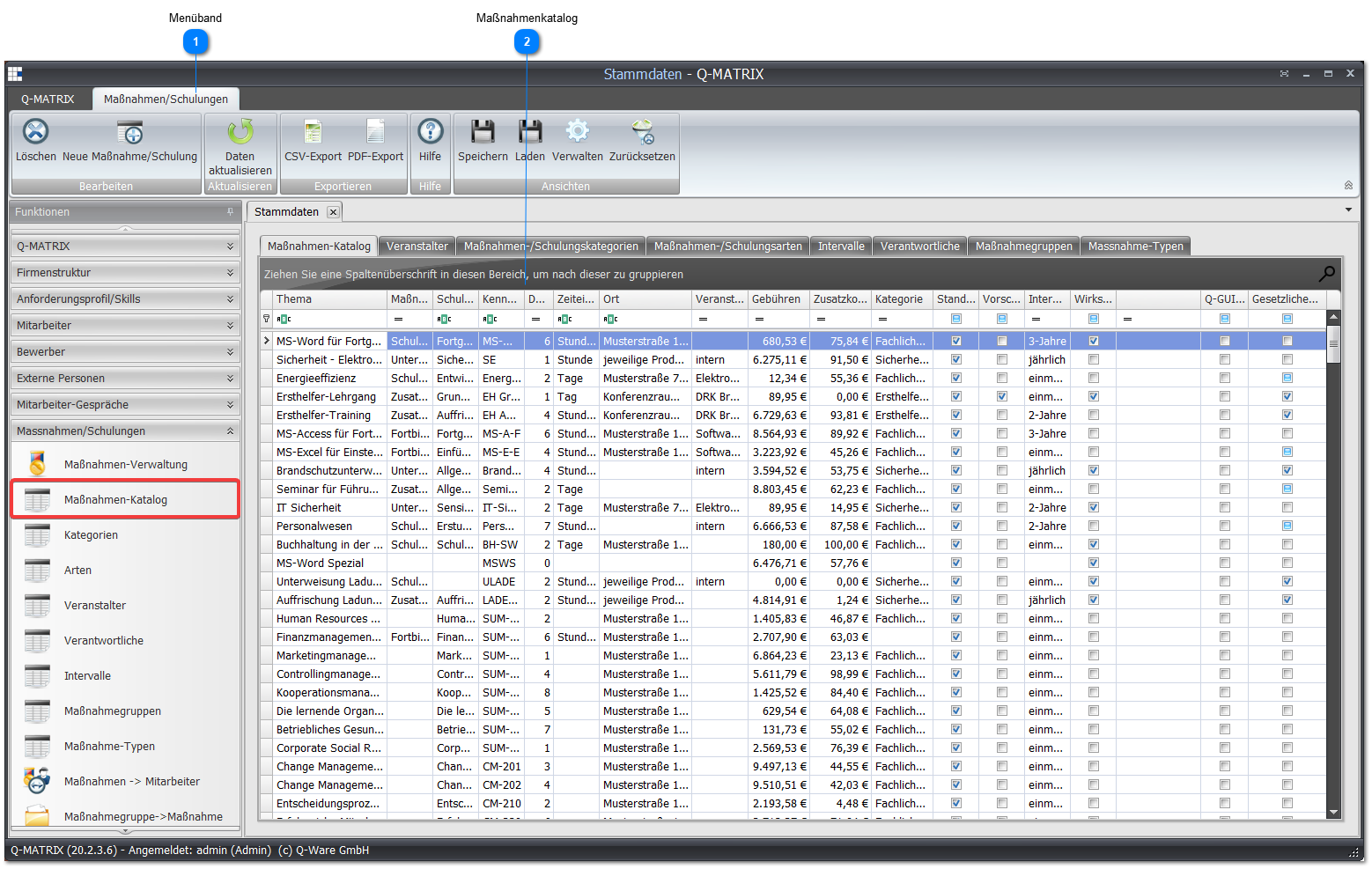
 Ribbon

| Delete | Deletes the selected measure/training from the catalog |
| New Measure/Training | Opens the topic assignment dialog for a new measure/training: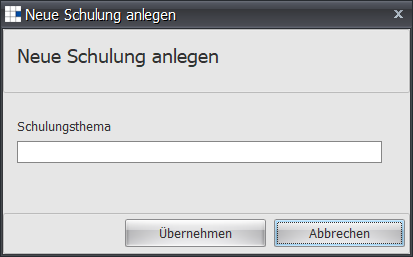 Once a topic has been entered (an empty topic is not allowed), the entry screen for the measure details opens. |
 Measures Catalog
Contains the tabular overview of all measures/training that could potentially be used as a copy template/blueprint for employees in conversations or planning.
| Topic | The topic of the measure |
| Measure Type | The type of the measure |
| Training Content | The content (a description) of the measure |
| ID | The identifier (a short code) of the measure. It is recommended to assign a unique identifier so that you can quickly find/use the associated measure. |
| Duration | The duration of the measure |
| Time Unit | The time unit (day, days, hour, hours) of the measure |
| Location | The location where the measure takes place |
| Organizer | The organizer (e.g. internal, Red Cross) of the measure |
| Fees | The fees for the measure |
| Additional Costs | The additional costs (e.g. travel costs) of the measure |
| Category | The category of the measure |
| Standard Measure | Shows whether this is a standard measure (selectable in the catalog) |
| Suggestion | Shows whether this is a suggestion |
| Interval | Shows the interval of the measure |
| Effectiveness Review | Shows whether the measure requires an effectiveness review |
| Q-Guide Instruction | Shows whether this is a Q-Guide instruction |
| Statutory Training | Shows whether this is a statutory training |
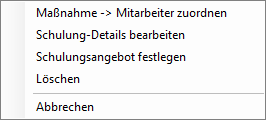
Via the context menu, you can assign a selected measure to an employee, edit the details, delete it, or designate it as a training offer.
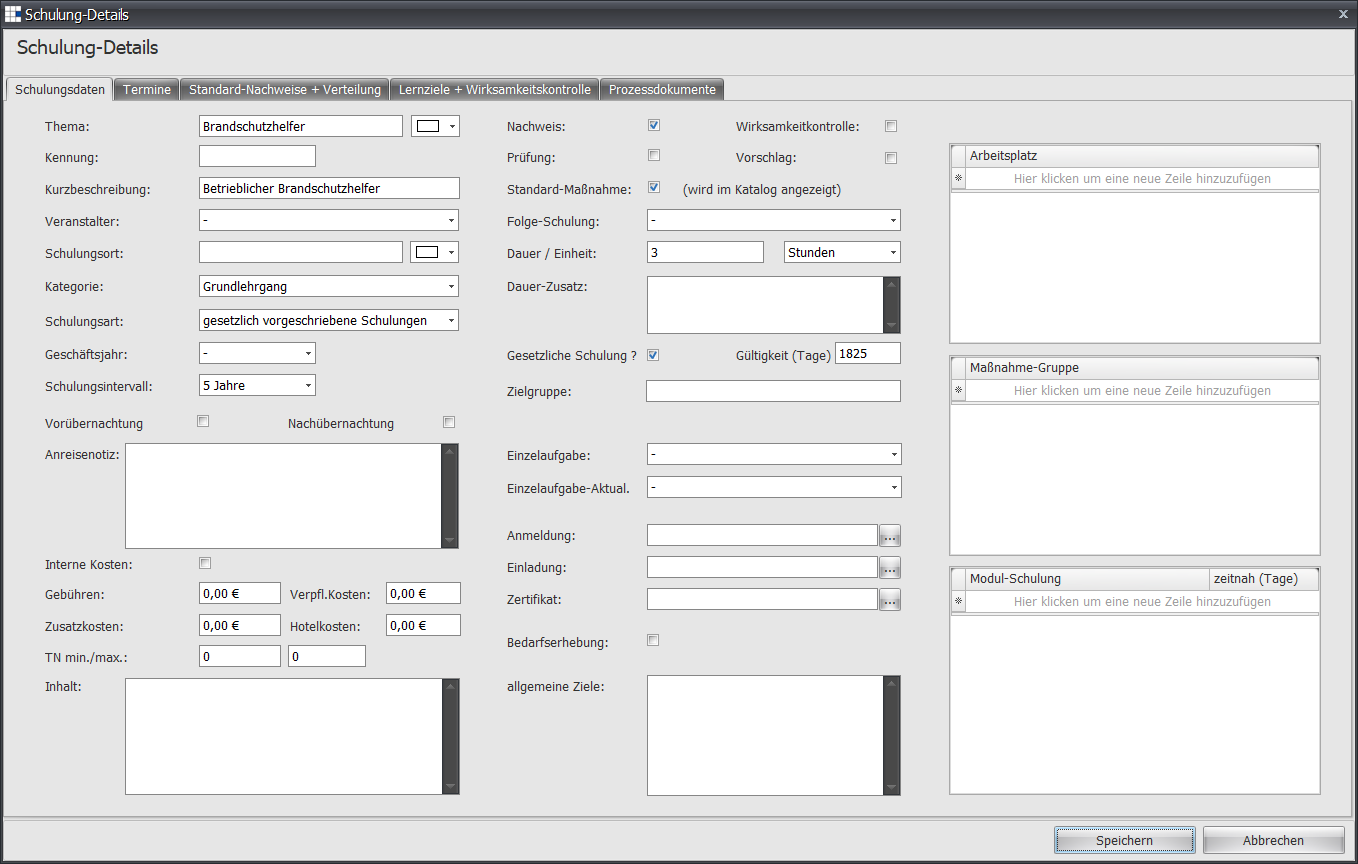
"Training Data" Tab
On the Training Data tab of a measure, you can mark it for the Training Needs Assessment.