



Working Through a Knowledge Test


Clicking one of the arrow buttons navigates you one question slide forward or back within the open knowledge test.

Clicking the Learning Topics Overview button takes you back to the overview of your current learning topics.
Clicking the Continue Learning button takes you out of the test and back to the associated learning topic.
The test is aborted and counted as not passed.
You can retake the test at any time once you feel more confident about the topic.
The numbered colored boxes show how many questions the test contains.
You can tell which questions you have already answered — a single selected answer option is enough — by the orange highlighting.
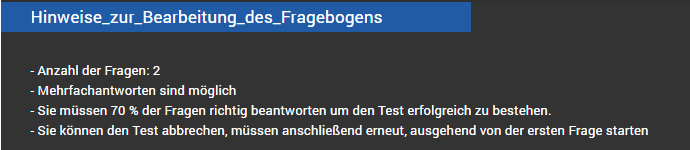
Once you have started the test, you first receive instructions on filling out the questionnaire.
Here you learn the total number of questions and what percentage of the questions you must answer correctly to successfully pass the test.
Important:
Read the question on each test slide carefully and click the answers you choose — multiple selection is possible.
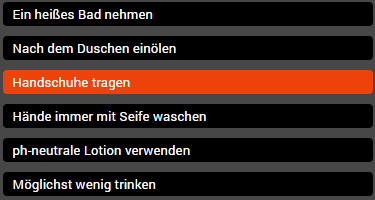
You can tell which answers you have already selected by the orange highlighting.
Answer options that have not been selected have a black background.
Note:
The selected answers remain in place even when navigating between slides (forward or back) and can be changed by you at any time until the test is completed.
Changing your answers is possible at any time.
Simply click the answer you want to correct.
Previously given answers are thereby deselected, and answers not yet selected are activated.