



Feedback
Shows you the tabular report of all users' feedback on all completed learning topics / instructions.
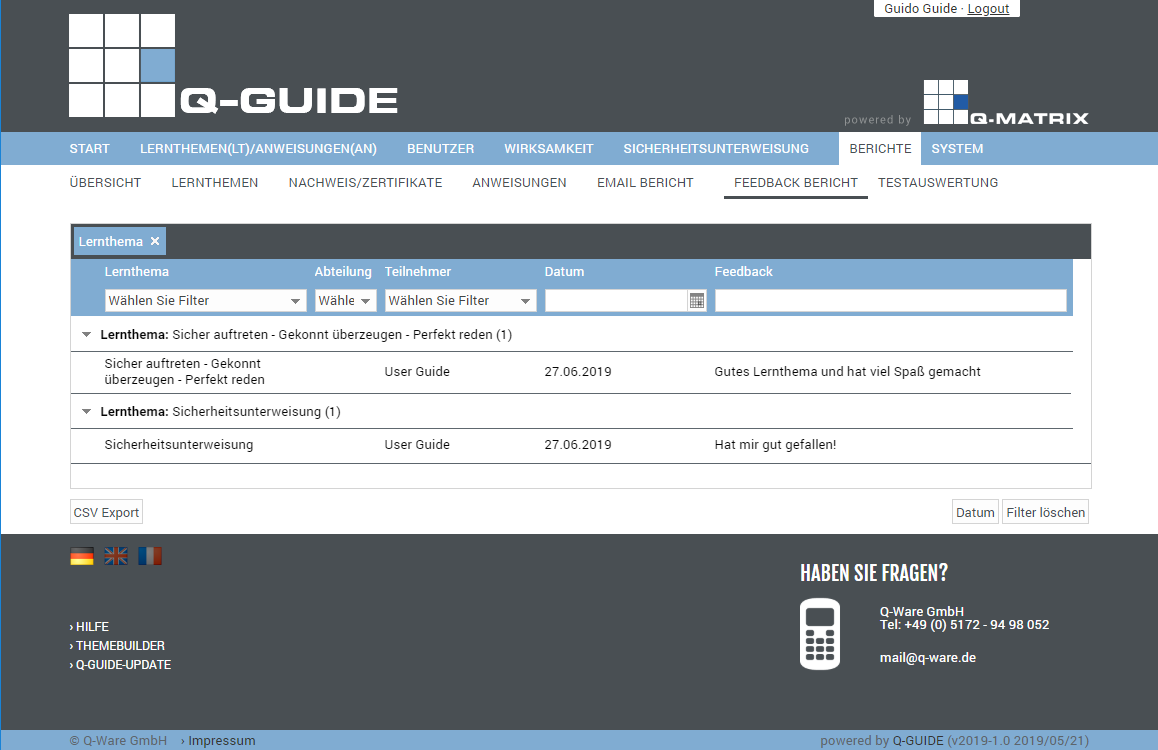
You can view the following information:
|
When this report is opened, a grouping by learning topic title is always shown initially. You can remove the grouping by clicking the X. 
Grouping options 1) You can click a column header with the left mouse button, keep the left mouse button held down, drag it into the column header in the upper grouping row, and then release the left mouse button. 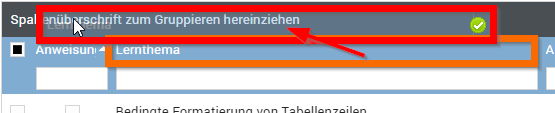
The result is a grouping of the table by this new column header (e.g. user). 2) You can also achieve a grouping by selecting it via the field selection (click the top right of the table header column): 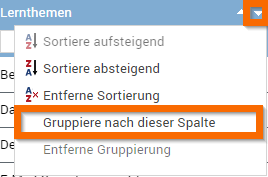
| |
| Learning Topic | This column shows the title of the learning topic / instruction |
| Department | This column shows the user's department |
| Participant | This column shows the name (first and last name) of the user |
| Date | Shows you the date the user's feedback was submitted |
| Feedback | Shows you the user's feedback |
You can use these functions:
| CSV Export | Exports all data shown in the table to the file "Benutzer Liste Stand vom <today>.csv" as a CSV file. The CSV file contains the fields listed in the table as columns. |
Opens the browser's print preview for this table (for example, in Google Chrome):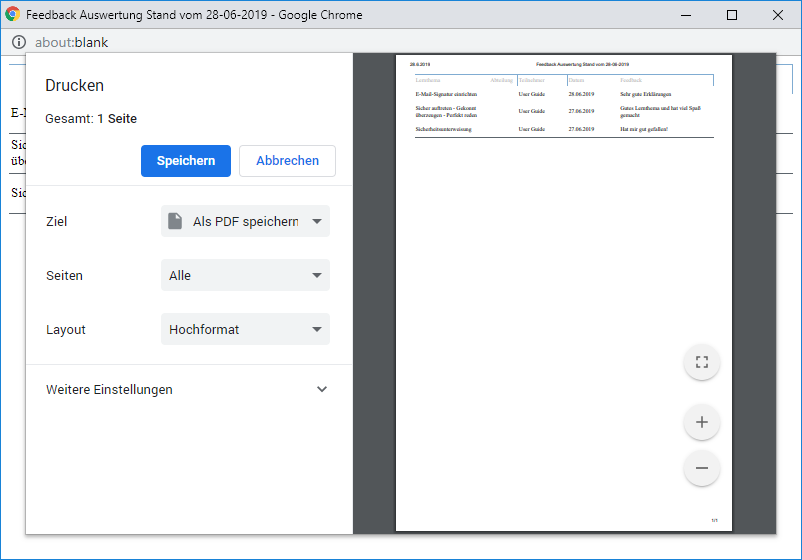 | |
| Clear Filter | Clears all filters / settings for the user data selection, and after clicking this button, all available records are displayed. |