



Navigating Learning Topics
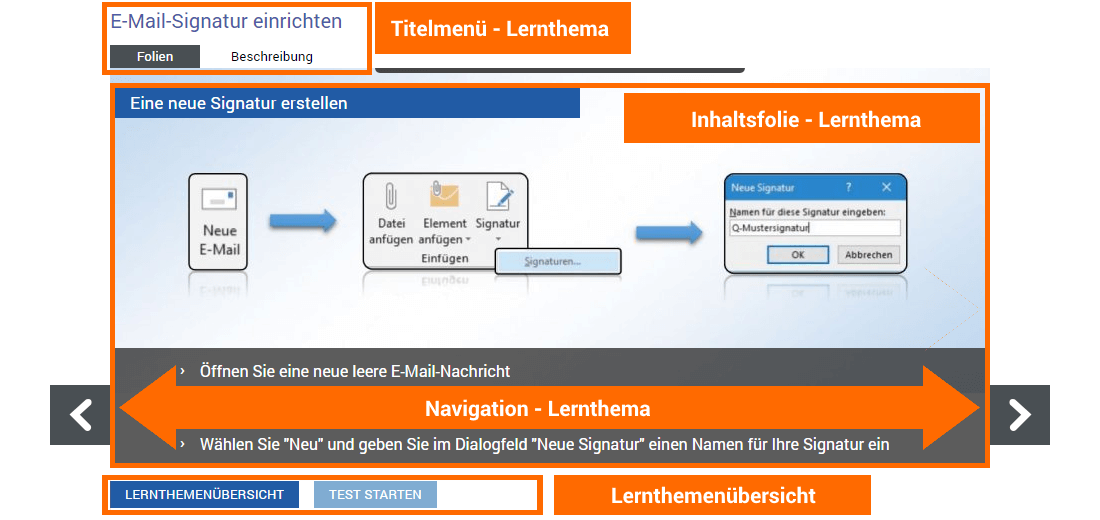
Each learning topic opens in the "Slides" tab of the title menu and shows you the home page of the learning topic – the title slide.


Clicking one of the arrow buttons navigates you one content slide forward or back within the open learning topic.
A brief summary of the content and goal of the open learning topic can be found in the Description tab in the title menu.

Clicking the Learning Topics Overview button takes you back to the overview of your current learning topics.

If a knowledge test is associated with the learning topic, click the Start Test button to open it and start answering the questions on the learning topic.
Note:
Before starting the knowledge test, the learning topic should be fully processed.