



Measures
Here, all your upcoming, planned, or expired measures are listed.
Measures already completed are not shown here.
Another view lists all measures for which you are asked to provide feedback on the measure.
Measures
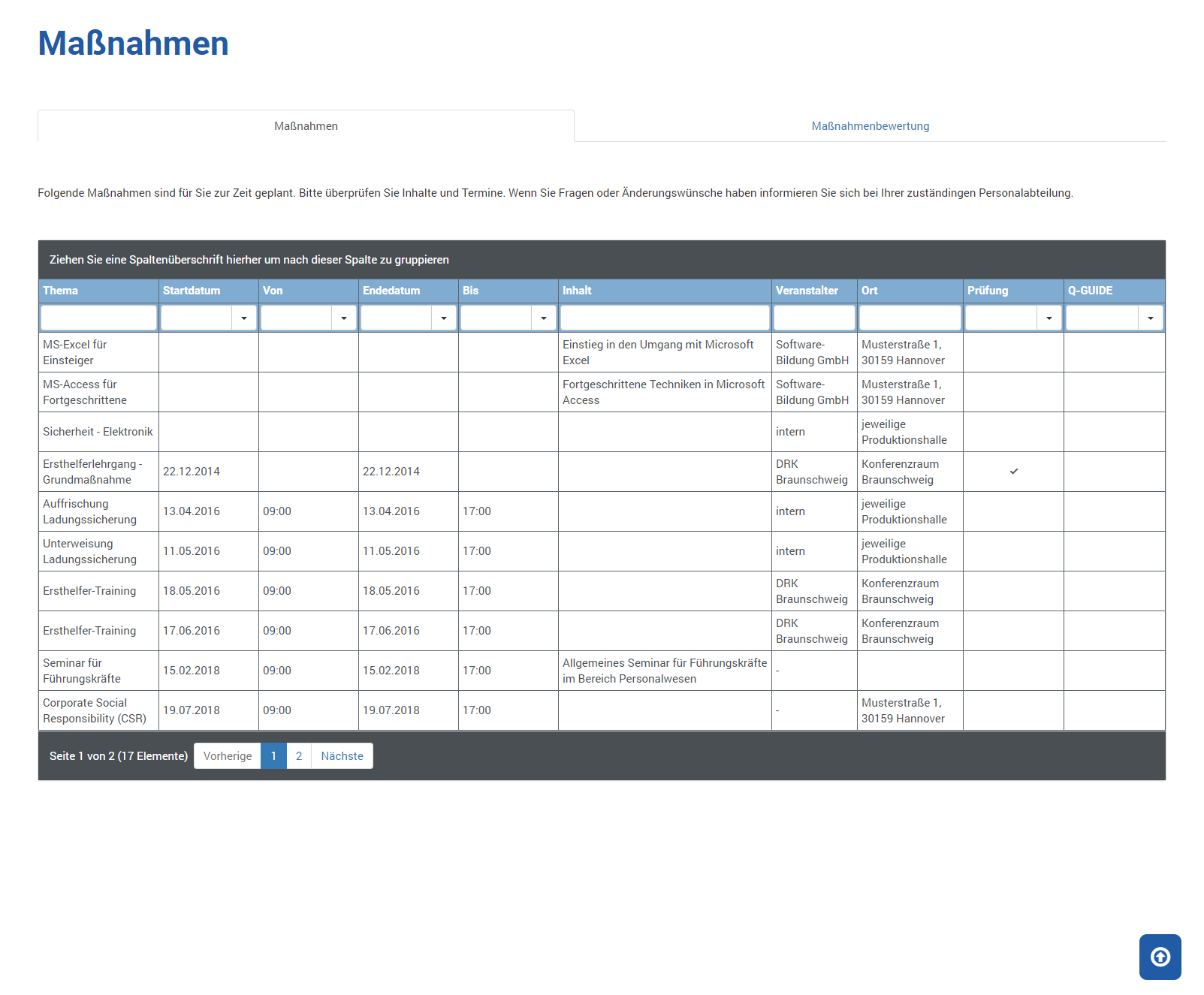
The following information is shown to you:
| Topic | Shows the topic of the measure |
| Start Date | On which day is the start of this measure planned |
| From | At what time is the start of this measure planned |
| End Date | On which day is the end of this measure planned |
| To | At what time is the end of this measure planned |
| Content | Shows explanatory and further content information about the measure |
| Provider | Which provider is conducting this measure |
| Location | Where does this measure take place |
| Exam | This column shows you whether an exam is required for the measure ( ) or not ( ) or not ( ). ). |
| Q-Guide | This column shows you whether this measure is available in Q-Guide () or not (). |
Measure Assessment
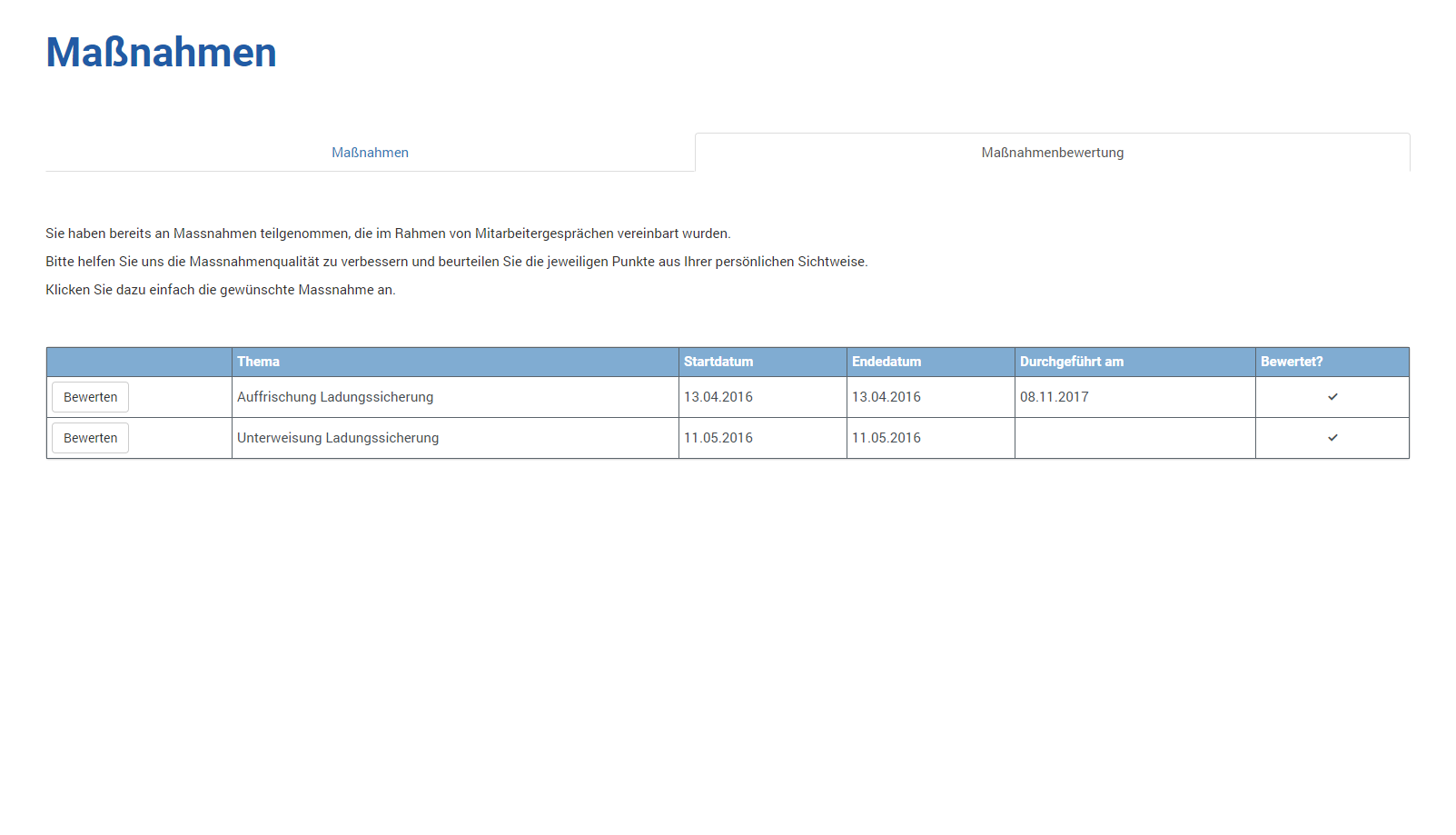
The following information is shown to you:
| Assess |
Click this button to assess the associated measure. You will be asked for the following assessments: 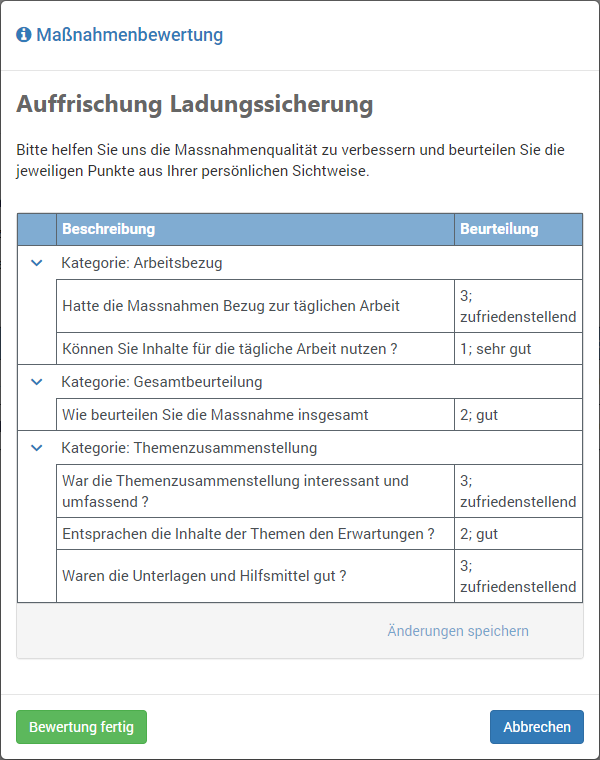
The following assessment criteria are available to you in a drop-down list: 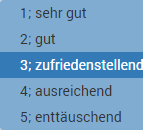
The assessment is completed when you click Assessment Done. |
| Topic | Shows the topic of the measure |
| Start Date | On which day is the start of this measure planned |
| End Date | On which day is the end of this measure planned |
| Conducted On | When did you conduct this measure |
| Assessed | This column shows you whether you have already assessed the measure () or not (). |