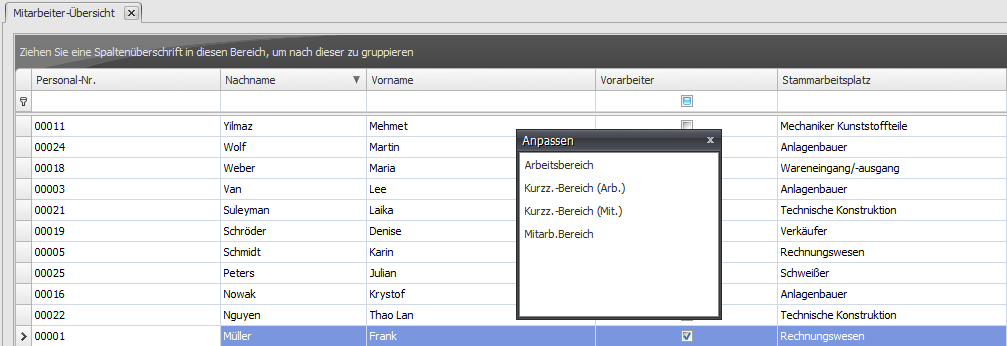
Column Selection
Right-click any table column to open the column selection (menu item "Column selection").
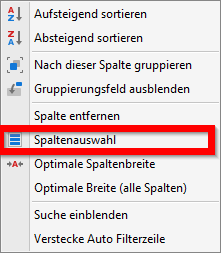
This option is only available on elements in Q-Matrix™ intended for it.
This window lets you drag additional table columns into the table via drag & drop, or drag out columns that are less relevant to you.
Alternatively, you can use the Remove column item found in the table columns' context menu.