



Templates
The following settings allow you to manage the email templates.
To preserve the formatting decisions made, emails are stored and sent in HTML format.
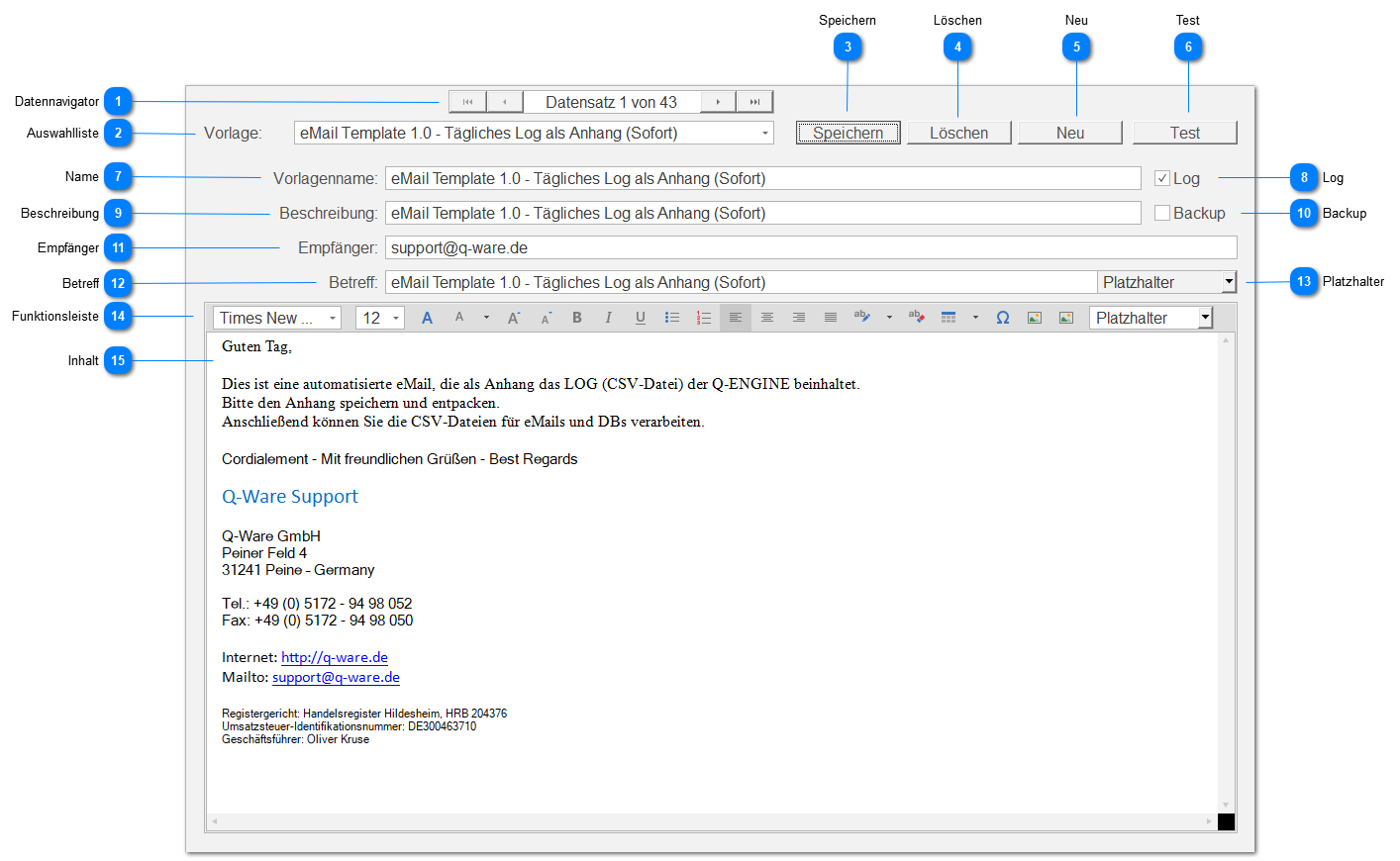
Data Navigator
Allows navigating between records using standard buttons:
 | First record |
 | Previous record |
 | Next record |
 | Last record |
Selection List
A template can be selected from a drop-down list (template name).
Save
Saves all settings visible in the content area.
Delete
Deletes the currently selected and visible template and jumps to the first record after deletion.
New
Creates a new empty template ("New empty template - <timestamp> -") at the end of the existing records.
Test
Tests the currently selected and visible template, i.e. an email is sent to the configured recipient of this template.
If the email configuration is complete and active, the template is sent as an email.
Name
The name of the currently selected and visible template. For example, Email Template X.Y
Log
This setting determines whether this template sends a log file as an attachment ( ) or not (
 ).
).
Description
Here you can enter a description, for example describing the use of this template.
Backup
This setting determines whether this template sends a database backup as an attachment () or not ().
Recipient
Enter an email address here to be used as the default recipient for testing this template.
For example, [email protected]
Subject
Set the subject for this email template here.
You can insert / add placeholders to generate personalized emails with corresponding content at runtime.
Placeholders
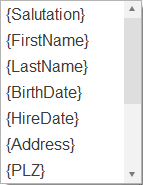 |
You can choose from the following placeholders:
|
Function Bar

Allows you to design the content of the email template message:
 | Select a font from the available options or change it |
 | Set or change the font size |
 | Opens the following font selection dialog: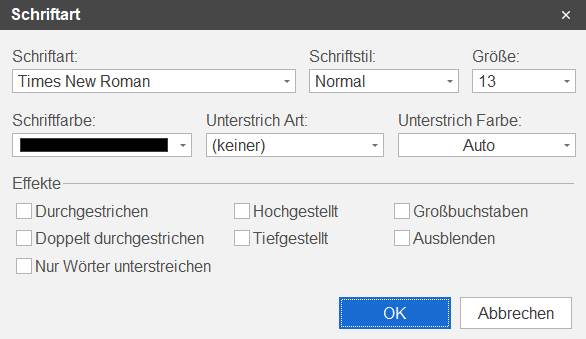 |
 | Set or change the font color |
 | Use this to increase the font size |
 | Use this to decrease the font size |
 | Set / mark selected text as bold |
 | Set / mark selected text as italic |
 | Set / mark selected text as underlined |
 | Create bullet points at the current position or for the selected / marked text |
 | Create numbering at the current position or for the selected / marked text |
 | Set text left-aligned |
 | Set text centered |
 | Set text right-aligned |
 | Set text as justified |
 | Apply a background color to selected / marked text |
 | Remove the formatting of the selected / marked text |
 | insert a table at the current position: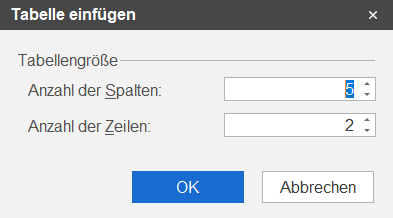 |
 | insert a special character from a selectable font at the current position: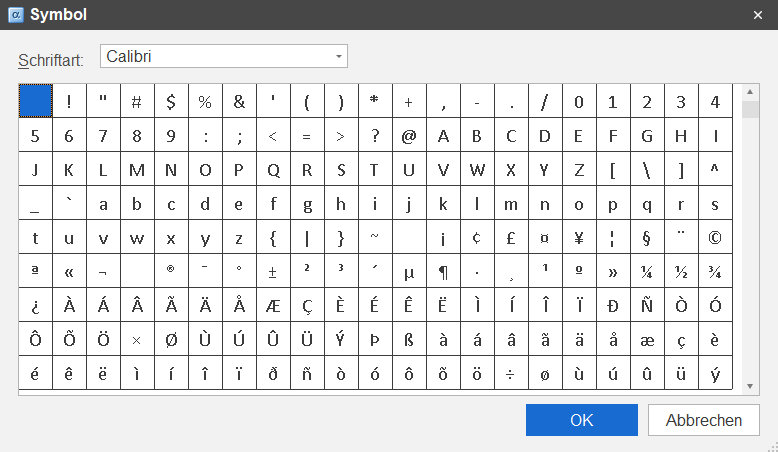 |
 | Add an inline image from a file |
| Add an image from a file |
 | insert a placeholder at the current position |
Content
The message content that is sent when this email template is used.