



Menu Item "Employee Target Agreements"
The "Employee Target Agreements" menu item contains the management of all target agreements of all employees.
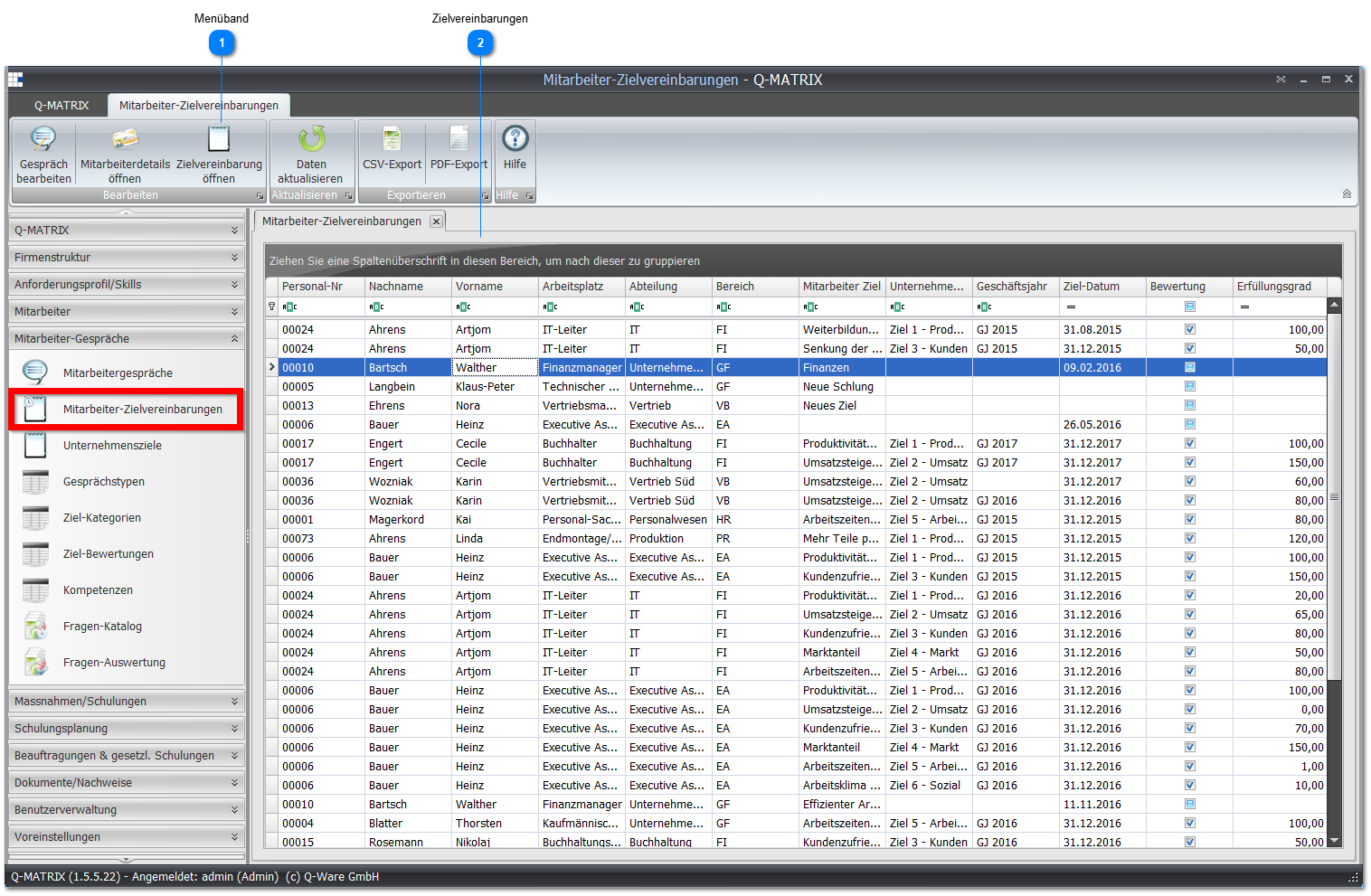
 Ribbon

| Edit Conversation | Opens the conversation for a selected target agreement. The same can also be achieved by double-clicking a target agreement. |
| Open Employee Details | Opens the employee details of a selected target agreement |
| Open Target Agreement | Opens the target agreement assessment screen: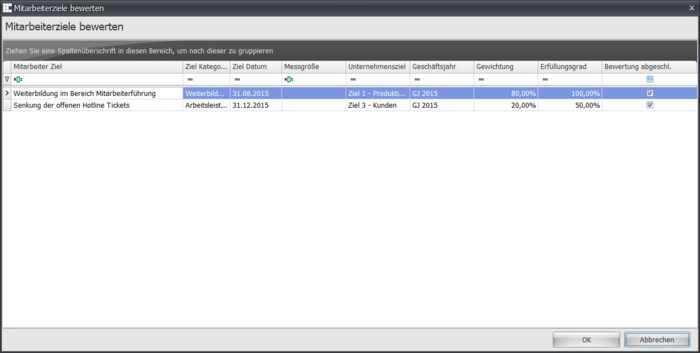 |
 Target Agreements
This overview shows you all target agreements for all employees.
Double-clicking a target agreement opens the associated employee conversation.
| Personnel No. | Shows the employee's unique personnel number |
| Last Name | Shows the employee's last name |
| First Name | Shows the employee's first name |
| Position | Shows the employee's position |
| Department | Shows the department associated with the employee's position |
| Area | Shows the area associated with the employee's position |
| Employee Objective | Shows the objective defined for the employee |
| Company Objective | Shows a possible associated company objective for the employee objective |
| Fiscal Year | Shows a possible fiscal year for the employee objective |
| Target Date | Shows by when the employee objective must be achieved/is assessed |
| Assessment | Shows whether an objective assessment has already been made (small checkmark) or is still pending |
| Achievement Level | Shows the achievement level (in percent) of the employee objective |