



Conversation Result Report
The conversation result report compiles all entered data into a report and displays it to you.
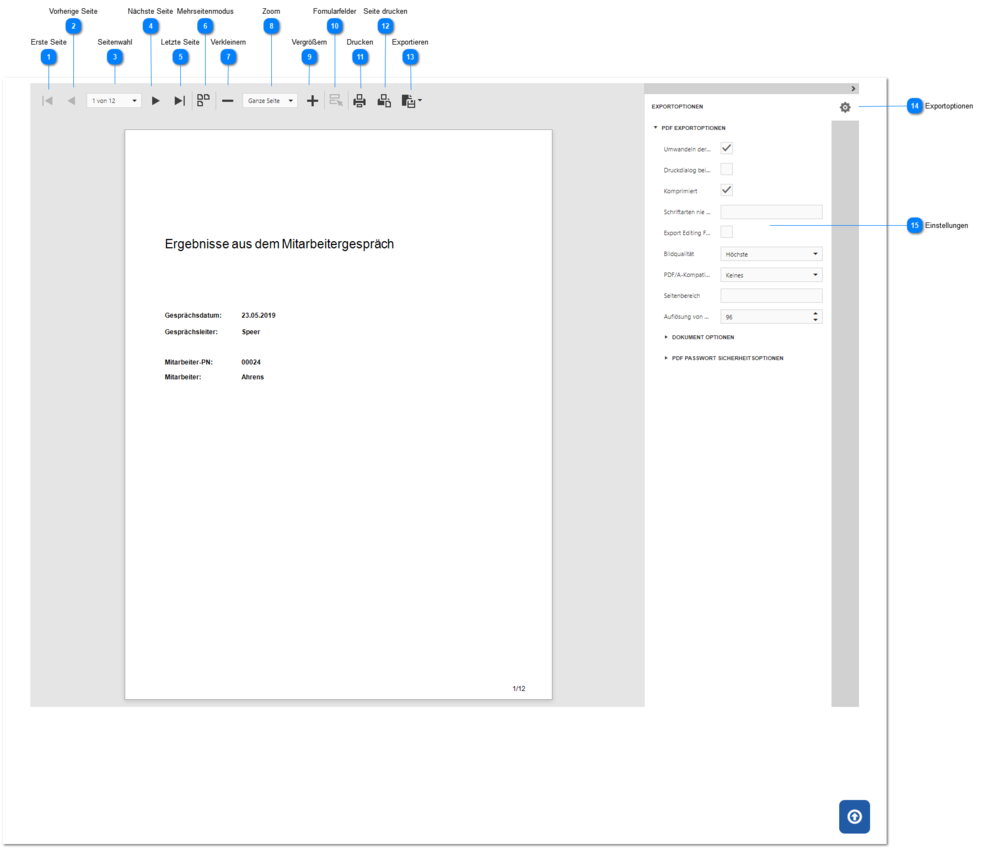
First Page
Switches to the first report page.
Previous Page
Switches to the previous report page.
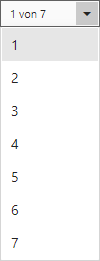
Page Selection
Opens a drop-down dialog for page selection, for example as follows
Next Page
Switches to the next report page.
Last Page
Switches to the last report page.
Multi-Page Mode
Switches between page mode and multi-page mode.
In page mode (default), each page of the report content is output on one page.
The multi-page mode display allows seamless viewing (a scrollbar becomes visible) of all pages without page changes in the report content.
Zoom Out
Reduces (min. 25%) the display of the report page.
Zoom
Allows you to set the percentage display, for example 75% or whole page.
Zoom In
Enlarges (max. 500%) the display of the report page.
Form Fields
Highlights any form fields for data entry in the report.
Opens the print dialog of the browser used to output the report on a printer.
Print Page
Opens the print dialog of the browser used to output the current report page on a printer.
Export
Exports the report as a PDF file, using the export options.
Export Options
Opens and closes the export options settings.
Settings
Allows you to configure the settings for the PDF export.