



Users
In this view, you can manage users.
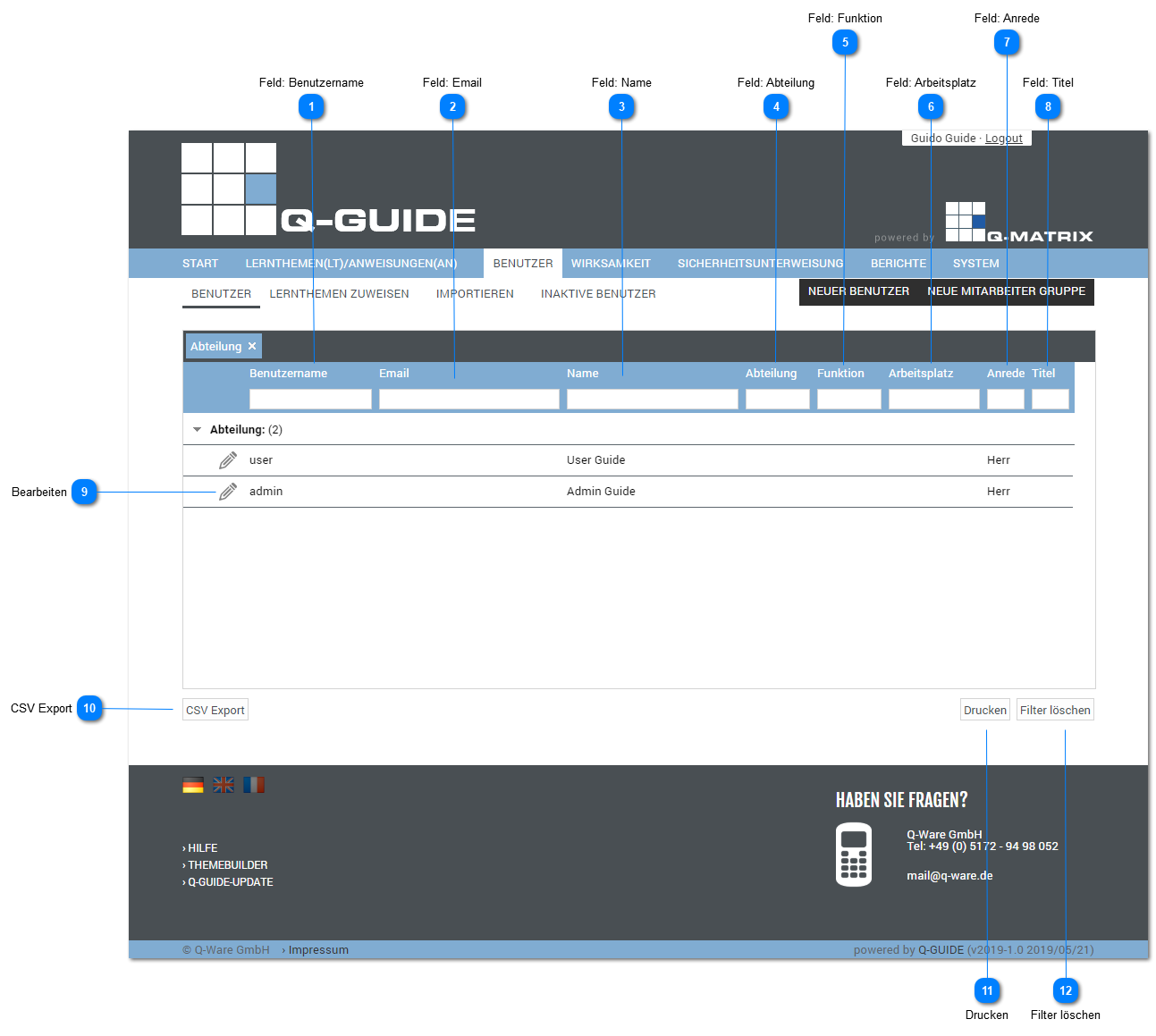
Field: Username
This column shows you the username.
Field: Email
This column shows you the email address of the associated username.
Field: Name
This column shows you the name of the associated username.
Field: Department
This column shows you the department of the associated username.
Field: Function
This column shows you the function of the associated username.
Field: Workplace
This column shows you the workplace / position of the associated username.
Field: Salutation
This column shows you the salutation for the associated username.
Field: Title
This column shows you the title of the associated username.
Editing
Click  to edit the user data.
You are then taken to the user editing wizard.
CSV Export
Exports all user data shown in the table to the file "Benutzer Liste Stand vom <today>.csv" as a CSV file.
The CSV file contains the fields listed in the table as columns.
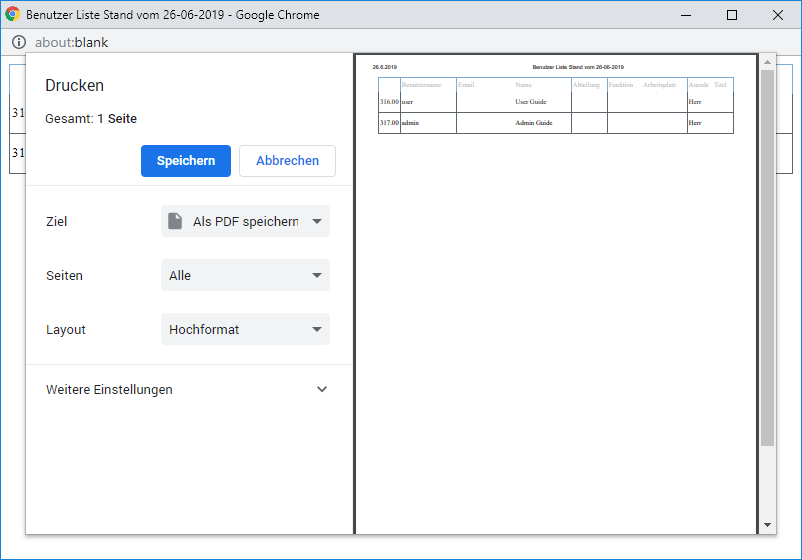
Opens the browser's print preview for this table (for example, in Google Chrome).
Clear Filter
Clicking this button clears all filter settings for all columns, and all records are displayed in the table.