



Edit Conversation
This dialog window allows you to edit various details of a conversation.
The details are grouped into the following tabs:
The Release button is part of the Q-Matrix™ conversation process and allows you, as the conversation lead, to start the next step.
Only once a conversation has been released by both the employee and the conversation lead can you see the full information (both sides).
In particular, the Questions tab as well as the Self- and Third-Party Assessment tab will then show you the full information.
Questions
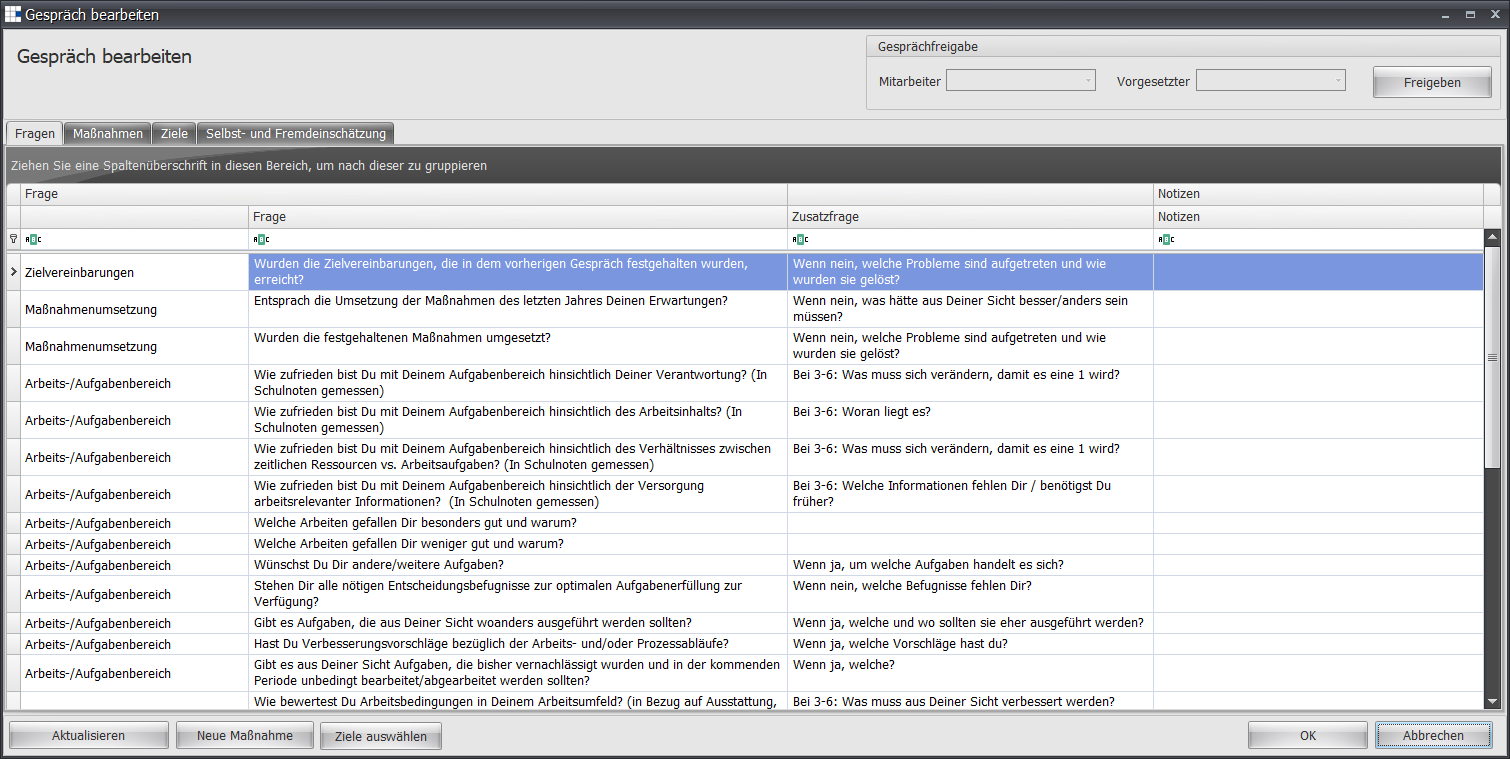
The initial view for this tab shows you the following information:
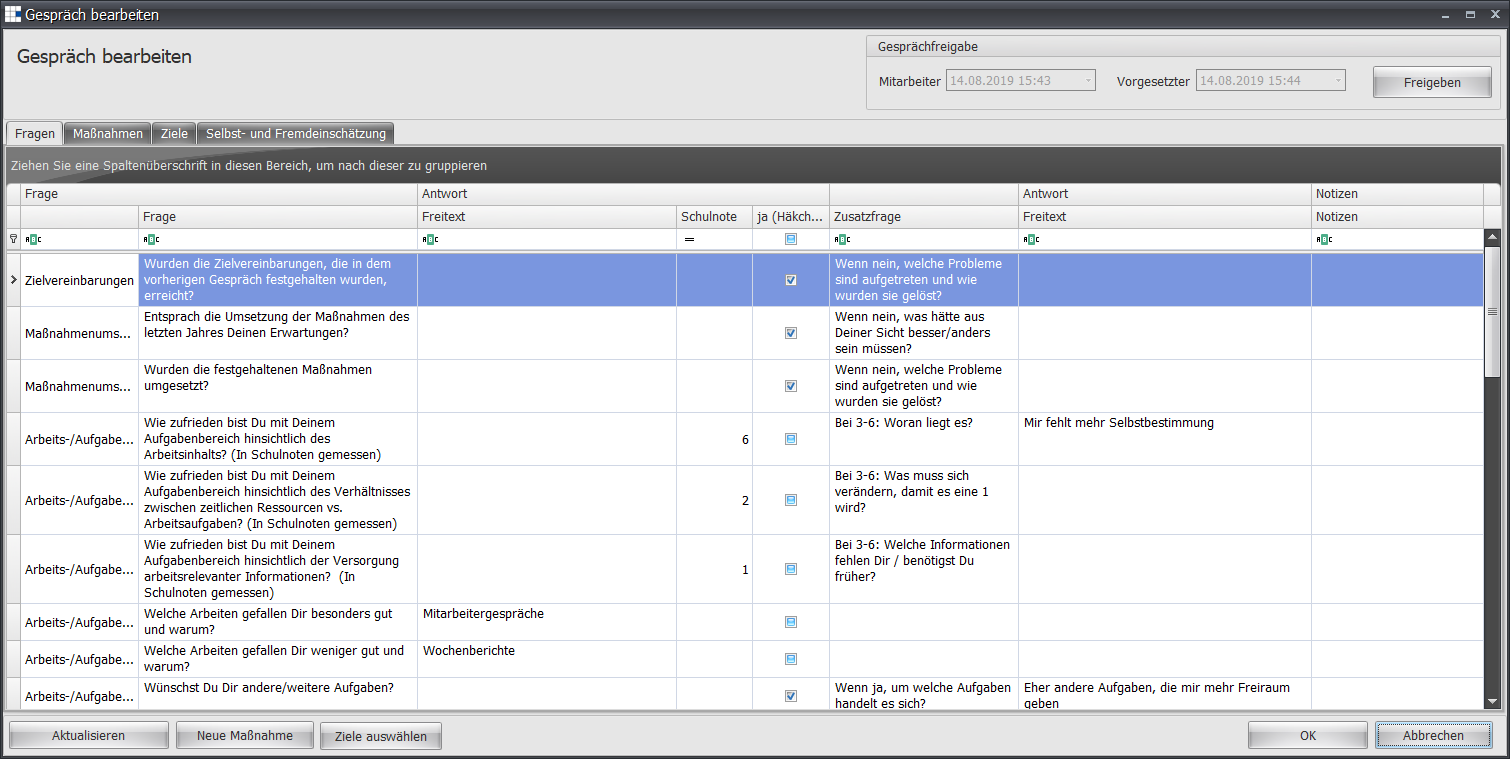
Once both conversation partners have released the conversation, the following information is shown:
You can make the following settings:
| Category | This column shows you the category of the questions |
| Question | The question |
| Answer - Free Text | If the question requires a free-text answer, these answers are shown in this column |
| Answer - School Grade (1-6) | If the question requires a school-grade answer (1-6), these answers are shown in this column |
| Answer - Yes/No | If the question requires a yes/no answer, these answers are shown in this column |
| Follow-up Question | If the answer is to be examined in more detail, a follow-up question can bring out these details |
| Follow-up Question Answer | The free-text answer to the follow-up question is shown in this column |
| Notes | This column allows the conversation lead to record their notes |
Measures
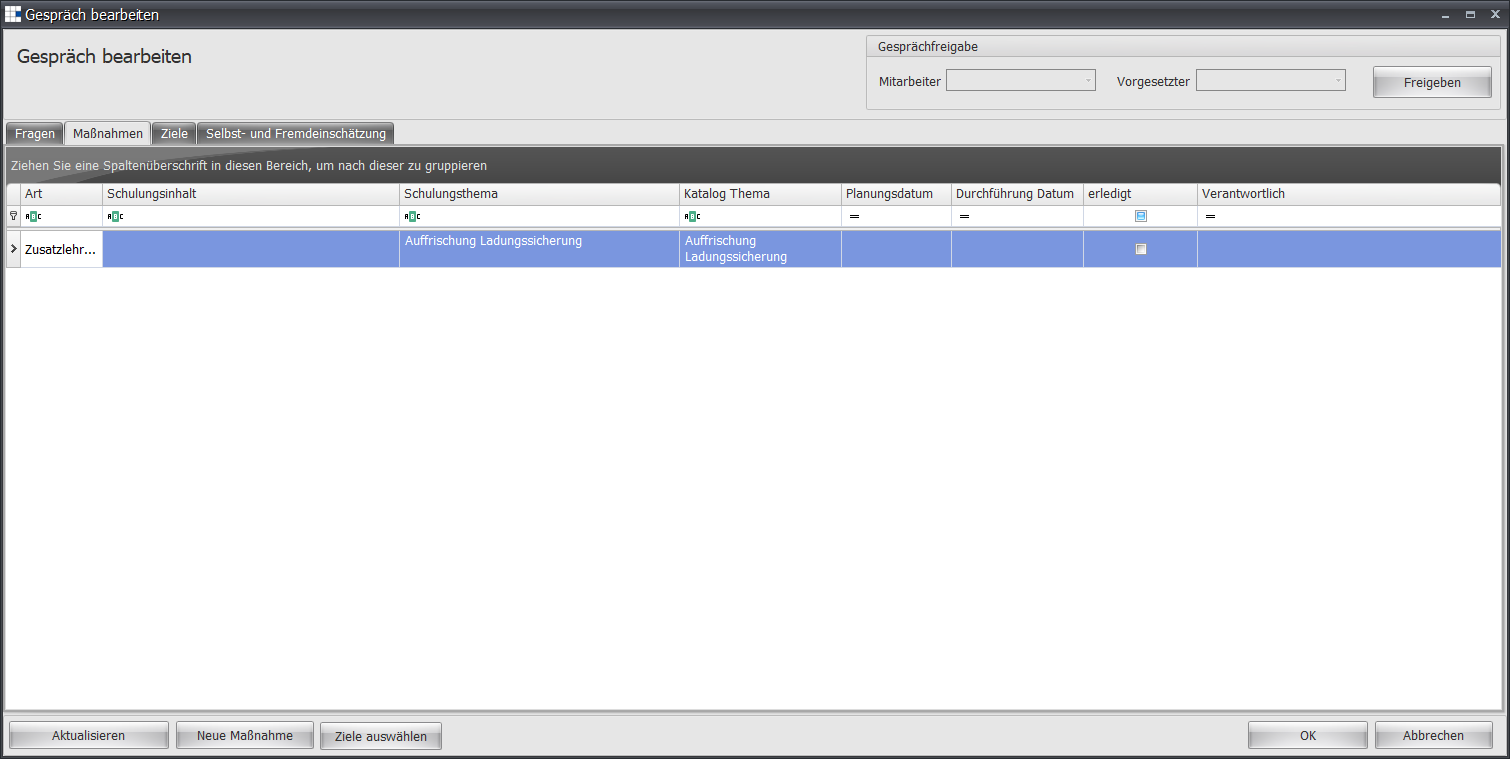
The view for this tab shows you the following information:
You can make the following settings:
| Type | The training type set from the measures catalog for this measure |
| Training Content | The content stored in the measures catalog for this measure |
| Training Topic | The topic of this measure |
| Catalog Topic | The topic stored in the measures catalog for this measure |
| Planning Date | If the measure is to be planned for a specific date, this column lists the planning date |
| Execution Date | If the measure is to be carried out on a specific date, this column lists the execution date |
| Completed | This column indicates whether the measure has been implemented. This status can be set manually by the conversation lead |
| Responsible | This column indicates who is responsible for implementing the measure (e.g. planning, execution). In many companies, the HR department is entered here. |
Objectives
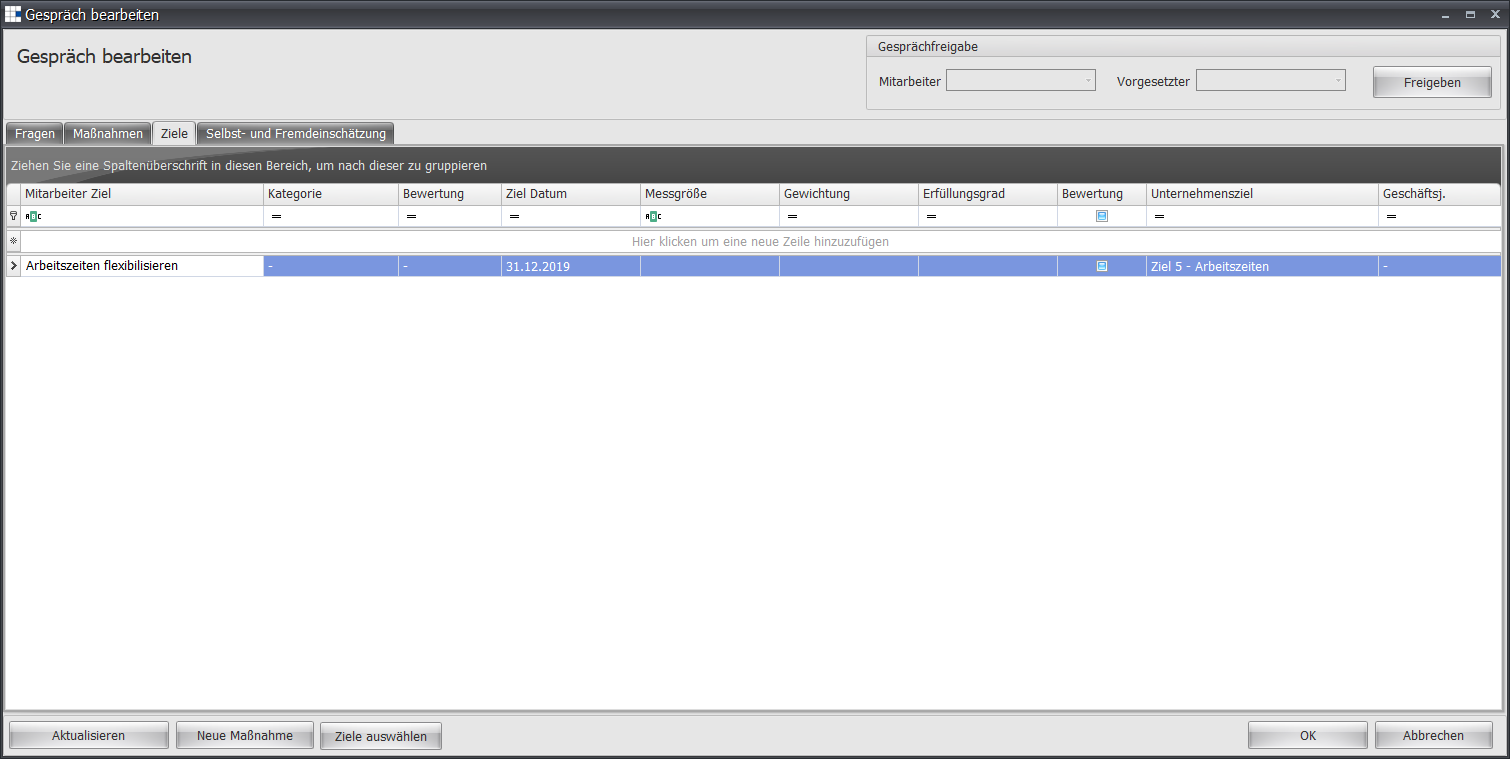
The view for this tab shows you the following information:
You can make the following settings:
| Employee Objective | An objective for this conversation, for example increasing revenue |
| Category | The category of the objective |
| Assessment | The conversation lead's assessment of the objective, for example achieved |
| Target Date | By when the objective should be achieved, for example year-end or 31/12 |
| Metric | The metric used to measure achievement of this objective, for example revenue |
| Weighting | The share this objective has in overall goal achievement, for example 50% |
| Achievement Level | The current or planned achievement level of this objective, for example 95% |
| Assessment | The conversation lead's assessment for this objective, for example achieved |
| Company Objective | Optional: If the objective is to be assigned to a company objective |
| Fiscal Year | The fiscal year of the objective for achievement purposes |
Self- and Third-Party Assessment
The initial view for this tab shows you the following information:
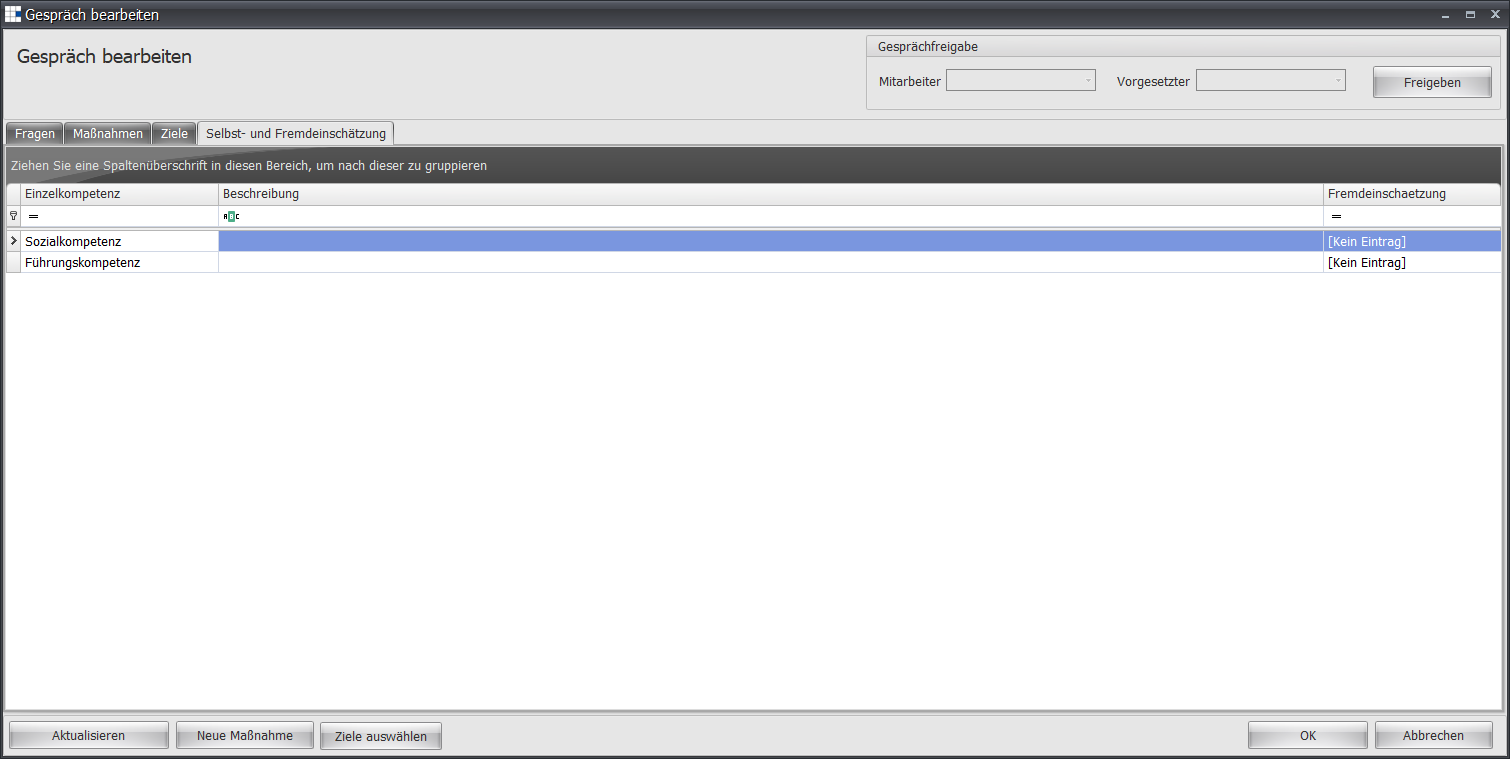
Once both conversation partners have released the conversation, the following information is shown:
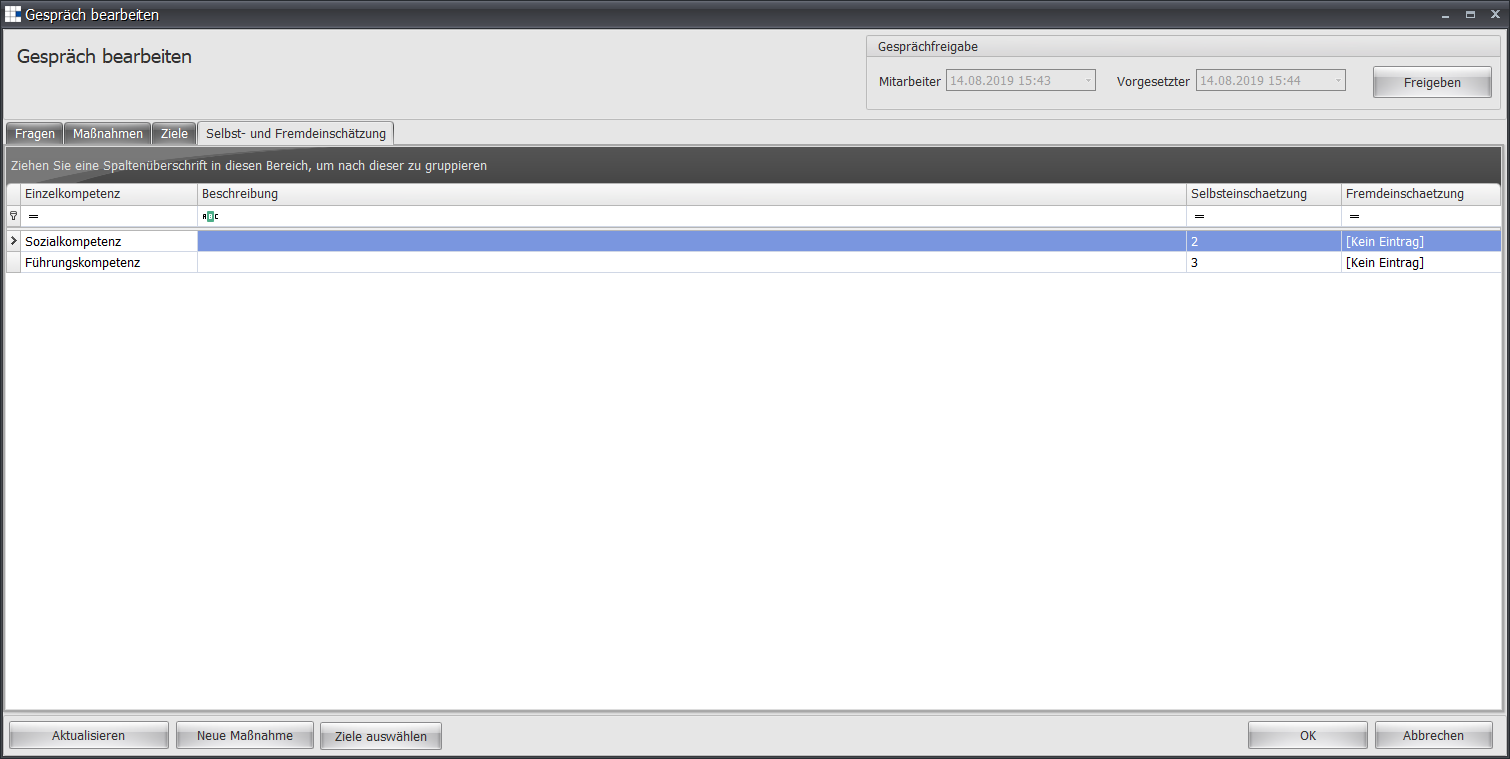
You can make the following settings:
| Individual Competency | The competency to be assessed |
| Description | The description of the competency to be assessed |
| Self-Assessment | The employee's assessment |
| Third-Party Assessment | The conversation lead's assessment |