



Menu Bar "Evaluations"
The menu items of the Evaluations menu bar are as follows:
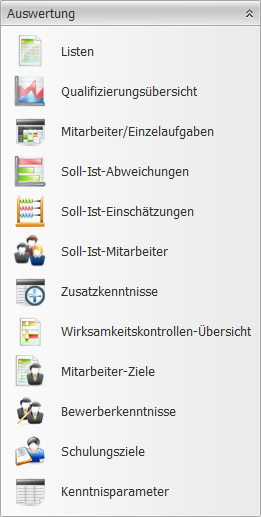
| Lists | The following list evaluations are available:
| ||||||||||||||||||
| Qualification Overview | A chronological and graphical evaluation of all information contained in the program for qualifications. | ||||||||||||||||||
| Employees/Individual Tasks | A matrix display of all employees and individual tasks. | ||||||||||||||||||
| Target/Actual Deviations | A matrix display of all individual tasks and target/actual deviations. | ||||||||||||||||||
| Target/Actual Assessments | A matrix display of all employees and target/actual assessments. | ||||||||||||||||||
| Target/Actual Employees | A tabular display of all employees and their target/actual deviations. | ||||||||||||||||||
| Additional Skills | A matrix display of all employees and additional skills. | ||||||||||||||||||
| Effectiveness Reviews Overview | A matrix display of all employees and effectiveness reviews. | ||||||||||||||||||
| Employee Objectives | A matrix display of all employees and objectives. | ||||||||||||||||||
| Applicant Skills | A matrix display of all applicants and skills (additional skills). | ||||||||||||||||||
| Training Objectives | A matrix display of all employees and training objectives. | ||||||||||||||||||
| Skill Parameters | A matrix display of all employees and all skill parameters. | ||||||||||||||||||
| Employees/Measures | A graphical display of Measure Management. | ||||||||||||||||||
| Process Docs./Basic Structure | A matrix display of process documents structured by workplace ► department ► area. | ||||||||||||||||||
| Process Docs./Measures | A matrix display of process documents structured by measure. | ||||||||||||||||||
| Training Budget | A matrix display of measures compared against the assigned budgets. | ||||||||||||||||||
| Workforce Outlook | A simulation of the outlook on retirements and the resulting workforce changes. |
Evaluation Settings
In almost all evaluations, you can change the displayed data. The default setting includes all data.
The following evaluation settings can always be used:
 Funnel icon (top right in the button corners) | Clicking this icon lets you filter the content: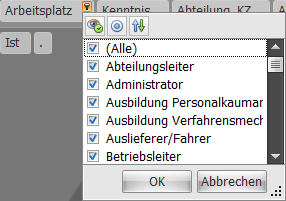 |
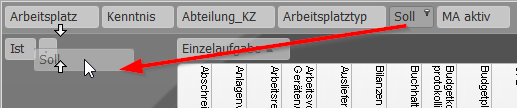 Change Values | You can drag the buttons shown in the evaluations to different places in the matrix displays. To do this, mark the button with the left mouse button and drag it to another location while holding down the mouse button. This location can be in the row, column, or value basis. If the button can be dragged to that location, this is indicated by two small facing arrows:  Depending on the evaluation and button, the location for embedding may vary. |