



Access Rights
Shows you, in a tabular overview, all access rights of roles in Q-Portal.
To enable ( ) or disable (
 ) visibility and usability, simply click a cell for a role and save the changes.
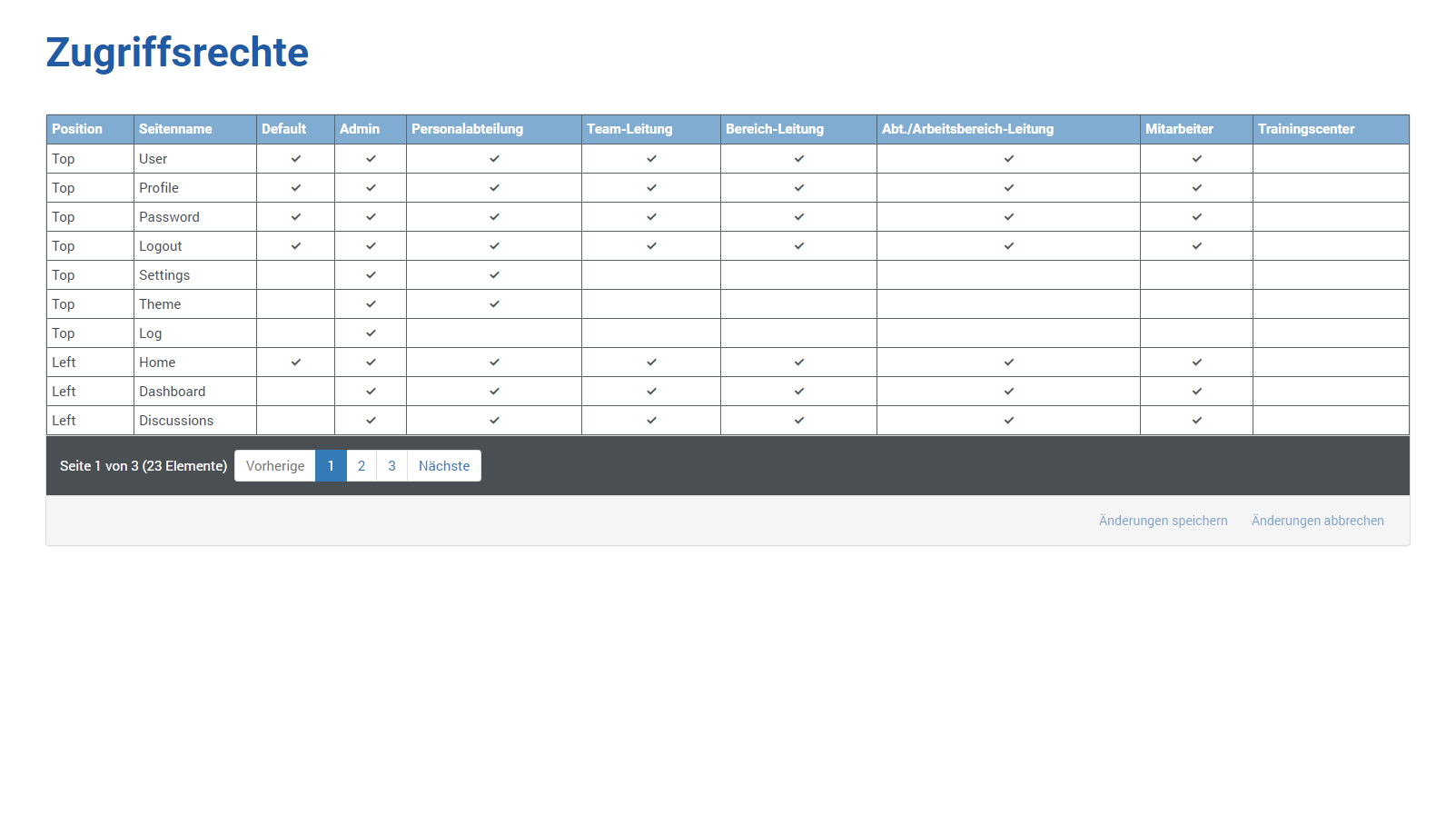
The following information is shown to you:
| Position | Shows you where this menu item is located |
| Page Name | Shows you which page is opened when you select / activate this menu item. |
| Default | The default role (no role) only has access to the menu items set here |
| Admin | The Administrator role has access to all menu items. To enable () or disable () visibility and usability, simply click a cell for this role and save the changes afterward. |
| HR Department | The HR Department role has access to the configured menu items. To enable () or disable () visibility and usability, simply click a cell for this role and save the changes afterward. |
| Team Lead | The Team Lead role has access to the configured menu items. To enable () or disable () visibility and usability, simply click a cell for this role and save the changes afterward. |
| Area Lead | The Area Lead role has access to the configured menu items. To enable () or disable () visibility and usability, simply click a cell for this role and save the changes afterward. |
| Dept./Work Area Lead | The Dept./Work Area Lead role has access to the configured menu items. To enable () or disable () visibility and usability, simply click a cell for this role and save the changes afterward. |
| Employee | The Employee role has access to the configured menu items. To enable () or disable () visibility and usability, simply click a cell for this role and save the changes afterward. |
| Training Center | The Training Center role has access to the configured menu items. To enable () or disable () visibility and usability, simply click a cell for this role and save the changes afterward. |
You can find the default settings in the permissions overview.