



Tab "Navigation + Menu"
The preferences of the "Navigation + Menu" tab are as follows:
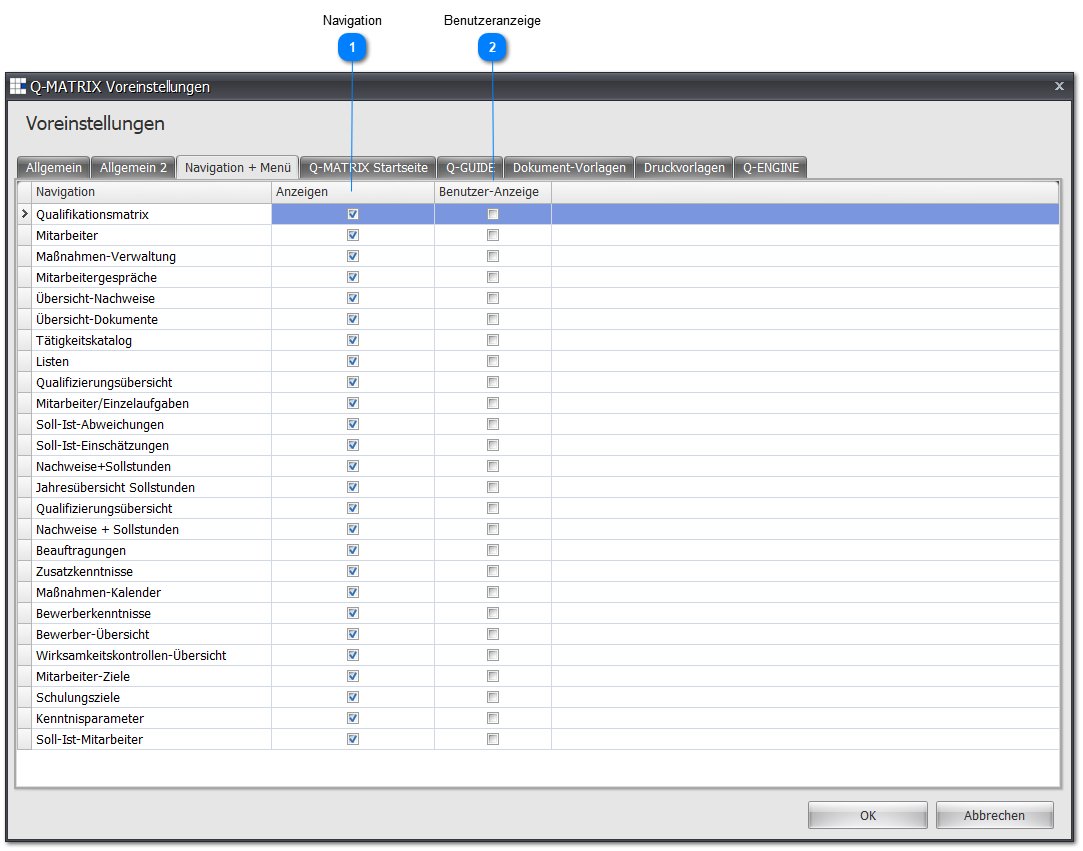
 Navigation
Here you can specifically hide menu items that you don't need.
To hide a menu item, simply remove the checkmark in the Show field.
You can show a menu item again at any time by re-enabling the field.
Users in the Administrator and HR roles always see all menu items at all times, even if the checkbox in the Show field has been disabled.
Note:
The "Qualification Evaluations" navigation item affects the entire "Evaluations" menu item.
Furthermore, this setting can be overridden by the license if you have not acquired all modules.
 User Display
Here you can specifically move menu items into the Q-Matrix™ menu.
To move a menu item, simply set the checkmark in the User Display field.
Note:
The changes will only become visible to you once you log in again.