



Microsoft Internet Information Server
When installing MS IIS (Microsoft Internet Information Server), a user is created for each application pool.
By default, a Windows user account DefaultAppPool is created after installation.
For the integrated security and login of the standard MS IIS installation to be used, this default user must be granted access to the corresponding database.
The Web.Config file can contain access to a database.
This can look as follows:
<connectionStrings>
  <add name="ConnectionString" connectionString="Data Source=<Server>; Initial Catalog=<DB>; Integrated Security=SSPI;"
   providerName="System.Data.SqlClient" />
</connectionStrings>
The above configuration for database access is based on the integrated Windows login (here: Integrated Security=SSPI).
For an application from MS IIS to access the database, the MS IIS default user or the user account being used must be granted a login to the MS SQL Server as well as access to the database.
The following example via Microsoft Management Studio (further details here):
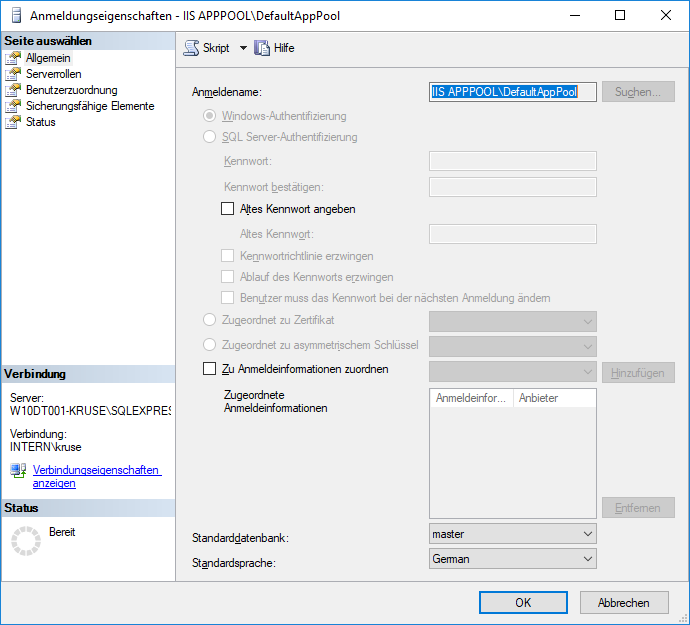 | Creating a new login user named IIS APPPOOL\DefaultAppPool. The following shows, for example, which rights are necessary so that the web application can access the data in the database. |
 | On the User Mapping page, select the database (1) that this new user should access. In this example, the user is granted the right (2) db_owner |