



"Employees" Menu Item
Here you get an overview of all employees assigned to your area, work area, or team, along with the corresponding information.
This view and its functions are almost identical to the "Employee overview" menu item for Administrators and HR.
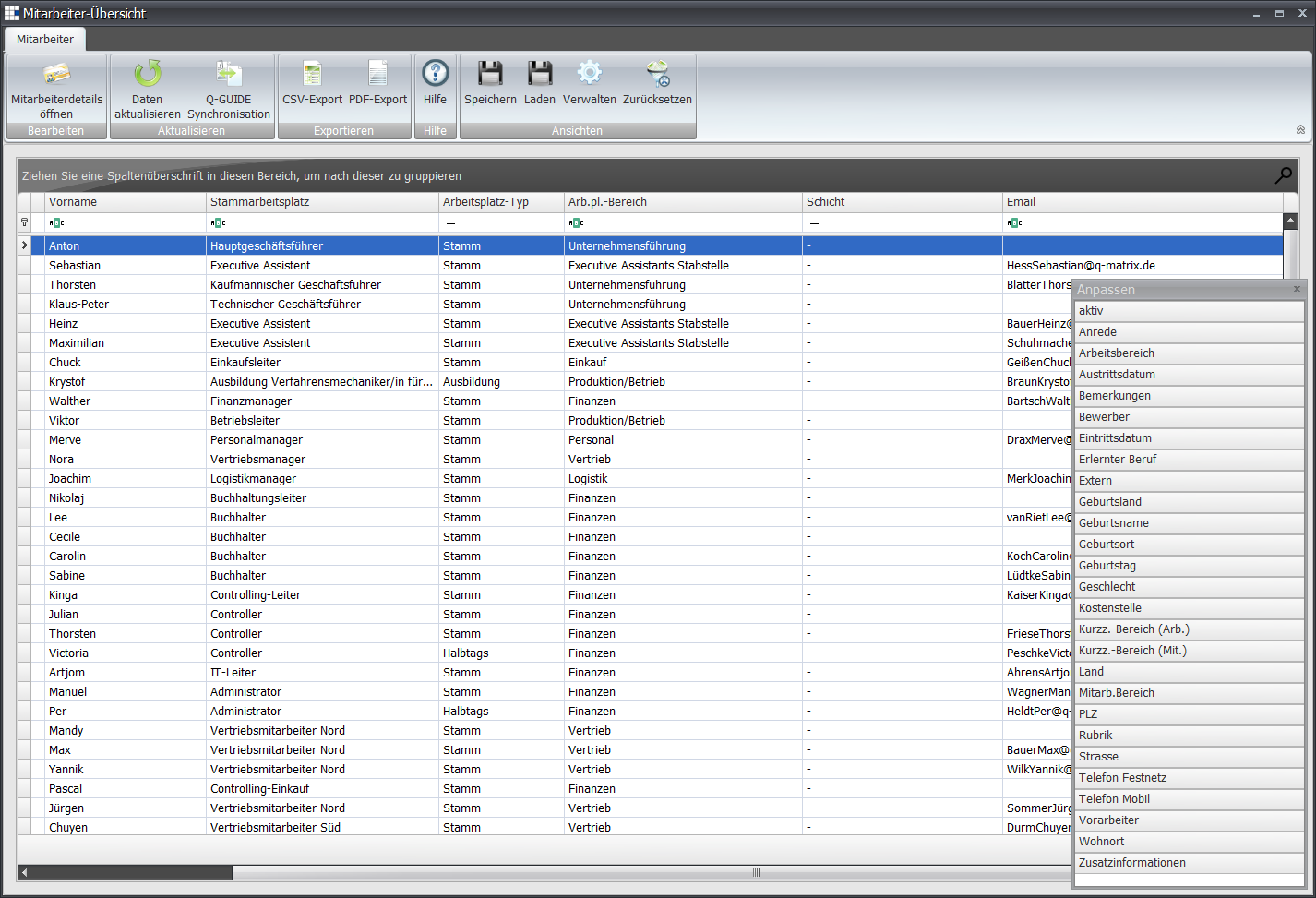
| Personnel no. | The employee's personnel number |
| Last name | The employee's last name |
| First name | The employee's first name |
| Foreman | Enabled ( ) if the employee is a foreman/team lead. ) if the employee is a foreman/team lead. |
| Primary workplace | Shows the employee's primary workplace. The primary workplace is the workplace for which the employee is primarily employed. An employee can only ever have one primary workplace, but may have many additional workplaces. Example: An employee mainly works in the warehouse, but also helps out in sales one day a week. So their primary workplace is the warehouse, where they are employed. You specify sales as an additional workplace for them. |
| Workplace type | Shows the workplace type, e.g. apprentice, part-time employee, full-time employee, etc. |
| Workplace area | Shows the area to which the employee's workplace/role is assigned. The area is filled in automatically based on the workplace. |
| Shift | The employee's shift/team |
| The employee's email address | |
| ... | Additional fields (listed in the "Customize" window) can be added as needed. |