



Templates
The following settings allow you to manage the database templates.
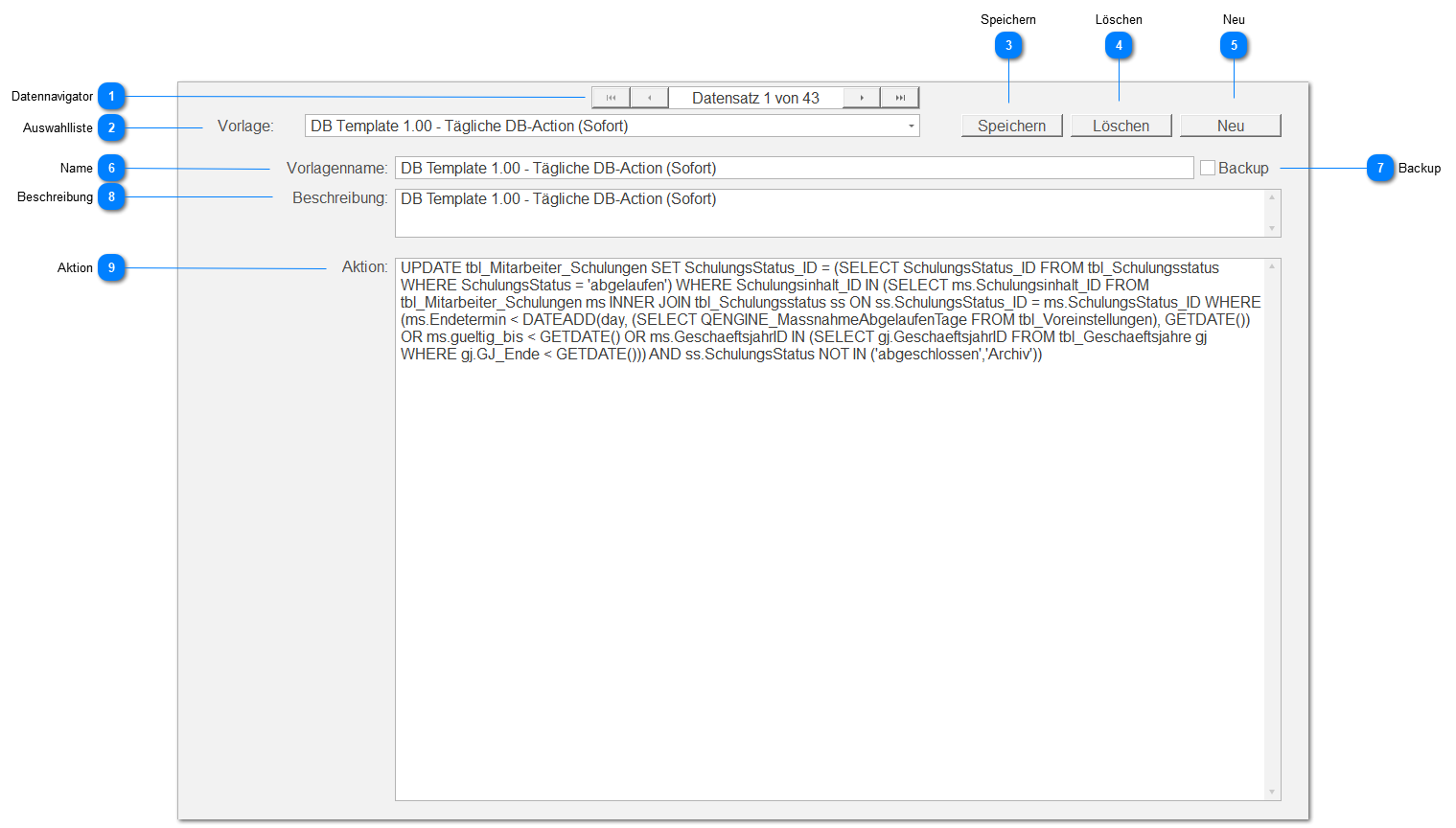
Data Navigator
Allows navigating between records using standard buttons:
 | First record |
 | Previous record |
 | Next record |
 | Last record |
Selection List
A template can be selected from a drop-down list (template name).
Save
Saves all settings visible in the content area.
Delete
Deletes the currently selected and visible template and jumps to the first record after deletion.
New
Creates a new empty template ("New empty template - <timestamp> -") at the end of the existing records.
Name
The name of the currently selected and visible template. For example, Database Template X.Y
Backup
This setting determines whether this template creates a database backup ( ) or not (
 ).
).
Description
Here you can enter a description, for example describing the use of this template.
Action
The template content applied as the action for this template.
All database templates have an SQL script at this point, which is executed at runtime.
The affected script lines are also saved as a result in the database log.