



Tab "Standard Evidence + Distribution"
This tab allows you to manage necessary/desired evidence as well as the distribution of earned target hours.
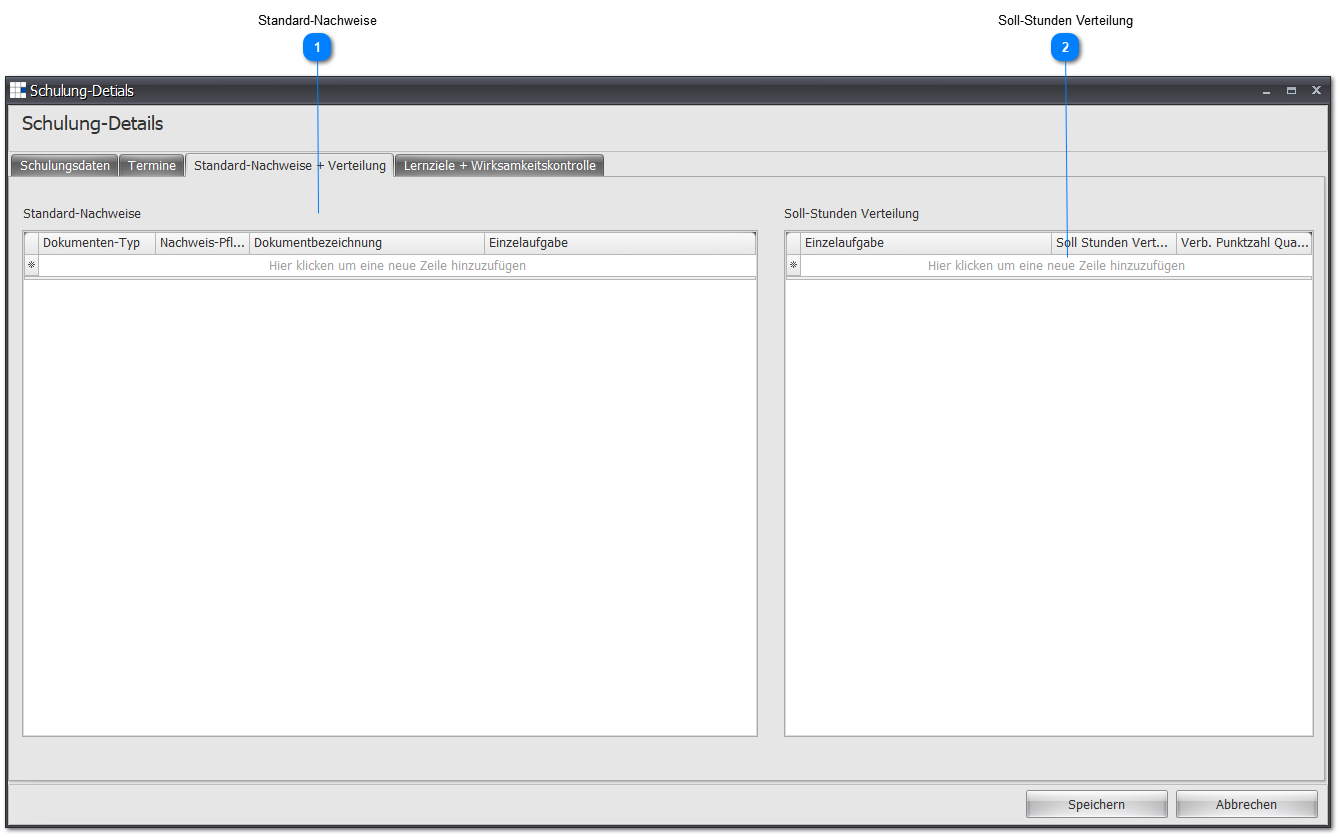
 Standard Evidence
| Document Type | Select an available document type from the dropdown list |
| Evidence Required | Note whether this is required evidence (small checkmark) or not. A measure with required evidence can only be completed if the employee has submitted the corresponding document after participation, it has been recorded, and marked as completed. |
| Document Name | Enter the desired name for this document |
| Individual Task | If the document is evidence for an acquired skill/knowledge of an individual task, you can set this here. Select an available individual task from the dropdown list. Note: Only assign an individual task if you have assigned the measure an individual task in the training data. In all other cases, set this to -. |
 Target Hours Distribution
If attendance is to be automatically recorded with the completed hours, you can set the hour distribution here.
| Individual Task | If the measure/training hours apply to one or more individual task(s), you can set this here. Select an available individual task from the dropdown list. |
| Target Hours Distribution | Enter here how many of the measure/training hours should be credited to the configured individual task. Note: Note that there is no limit on the measure/training hours. You can assign more hours than the measure/training actually has. |
| Associated Qualification Level Points | This information is currently not used, since no automatic adjustment of the qualification level is made when an employee has completed a measure. The supervisor or the HR department must deliberately set/change this qualification level change. |