



Creating Employees
Q-Matrix™ aims to support you in qualifying your employees.
Your employees (1) are therefore at the center of working with Q-Matrix™.
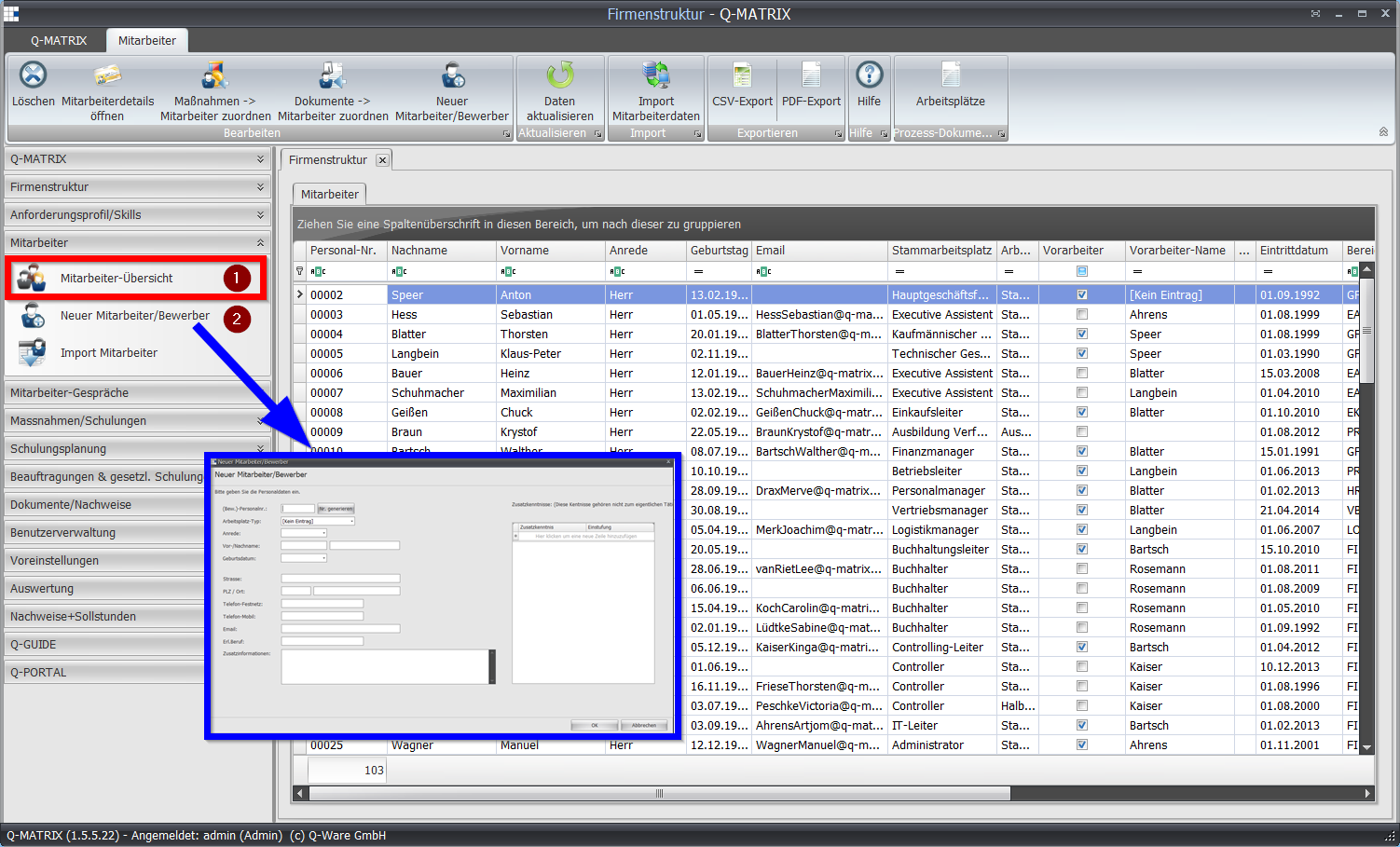
For more information on the individual fields of the employee overview, see the Employee Details section.
To create employees (2), go to the "Employees" menu item and then the "New Employee/Applicant" menu item.
Use the input form to fill in the known information.
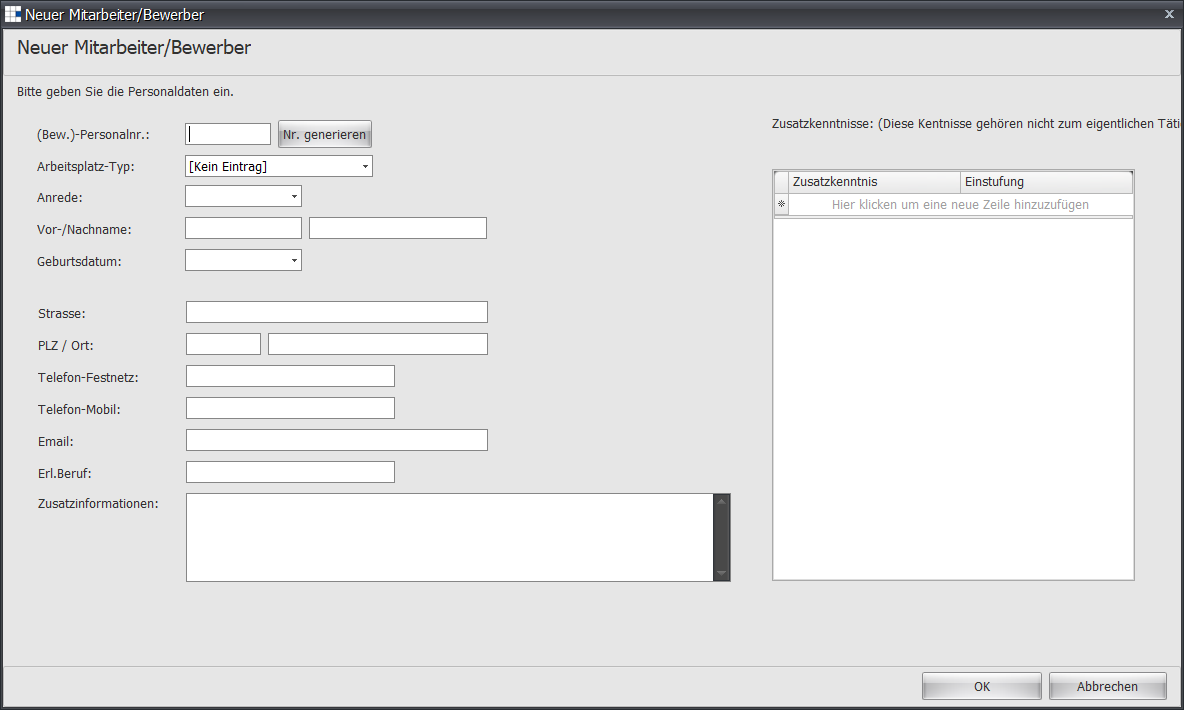
Initially, fill in only the following fields:
- Personnel no.
- Workplace type
- Last name
- First name
- Date of birth
- Title
The primary workplace, the start date, and any corrections will be assigned at a later point.