



Conversations
This function lists all your conversations in tabular form.
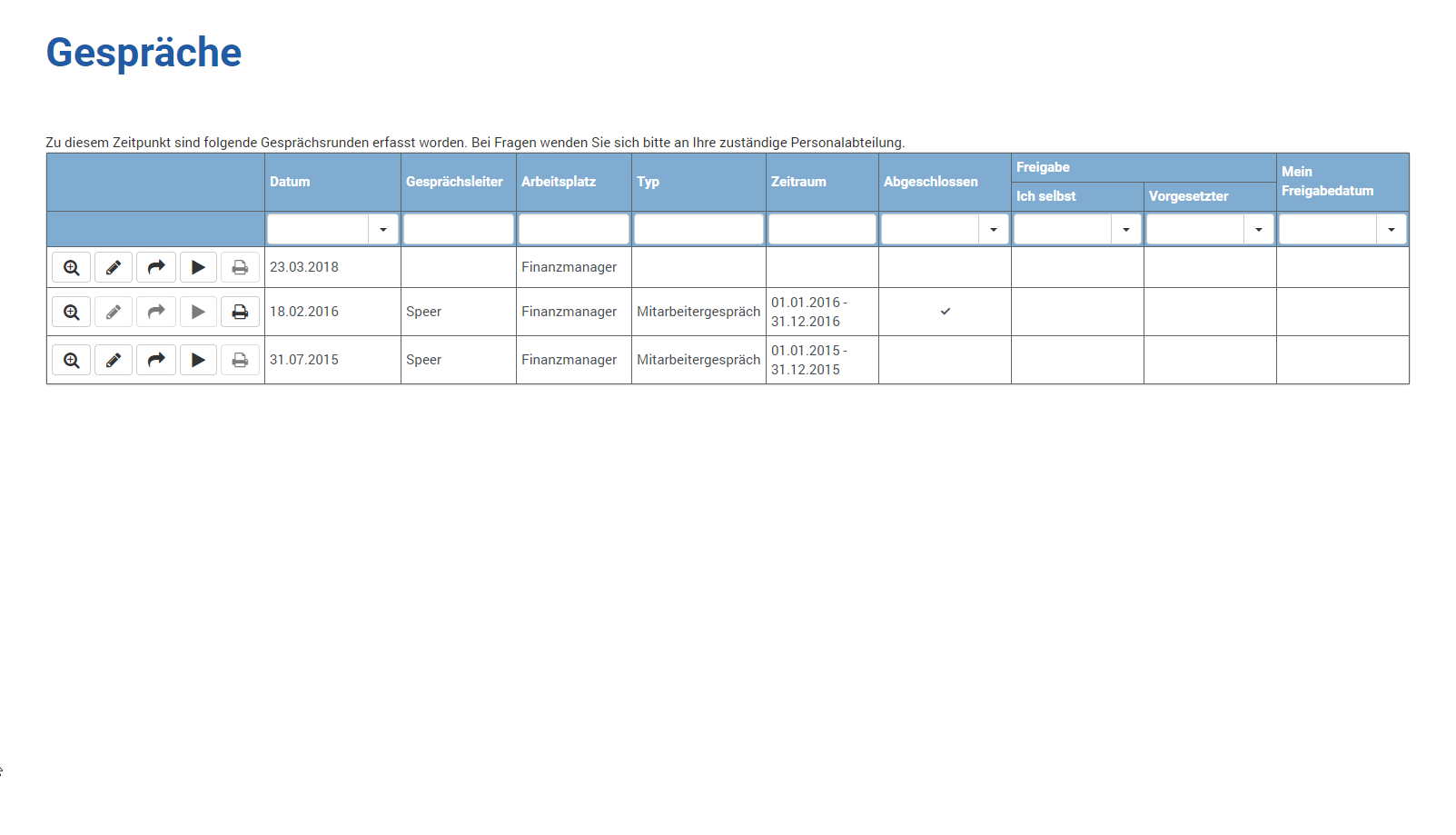
The following information is shown to you:
| Functions |
| ||||||||||
| Date | The day on which the conversation is to take place or took place | ||||||||||
| Conversation Leader | Which supervisor you will have or have had the conversation with | ||||||||||
| Workplace | Your position, which forms the basis for the conversation | ||||||||||
| Type | If several conversation types (e.g. employee conversation, salary conversation) take place in your company, you can see the basis for the conversation here. | ||||||||||
| Period | Which period is considered in the conversation | ||||||||||
| Completed | This column shows whether the conversation is completed / finished ( ) or not ( ) or not ( ) ) | ||||||||||
| Release - Me | The date you released the conversation | ||||||||||
| Release - Supervisor | The date your supervisor released the conversation | ||||||||||
| My Last Edited Date | The date you last edited the conversation, if it is not yet completed |


