



Slides Tab
In this tab, you can customize the slides so the slide headings match your preferences.
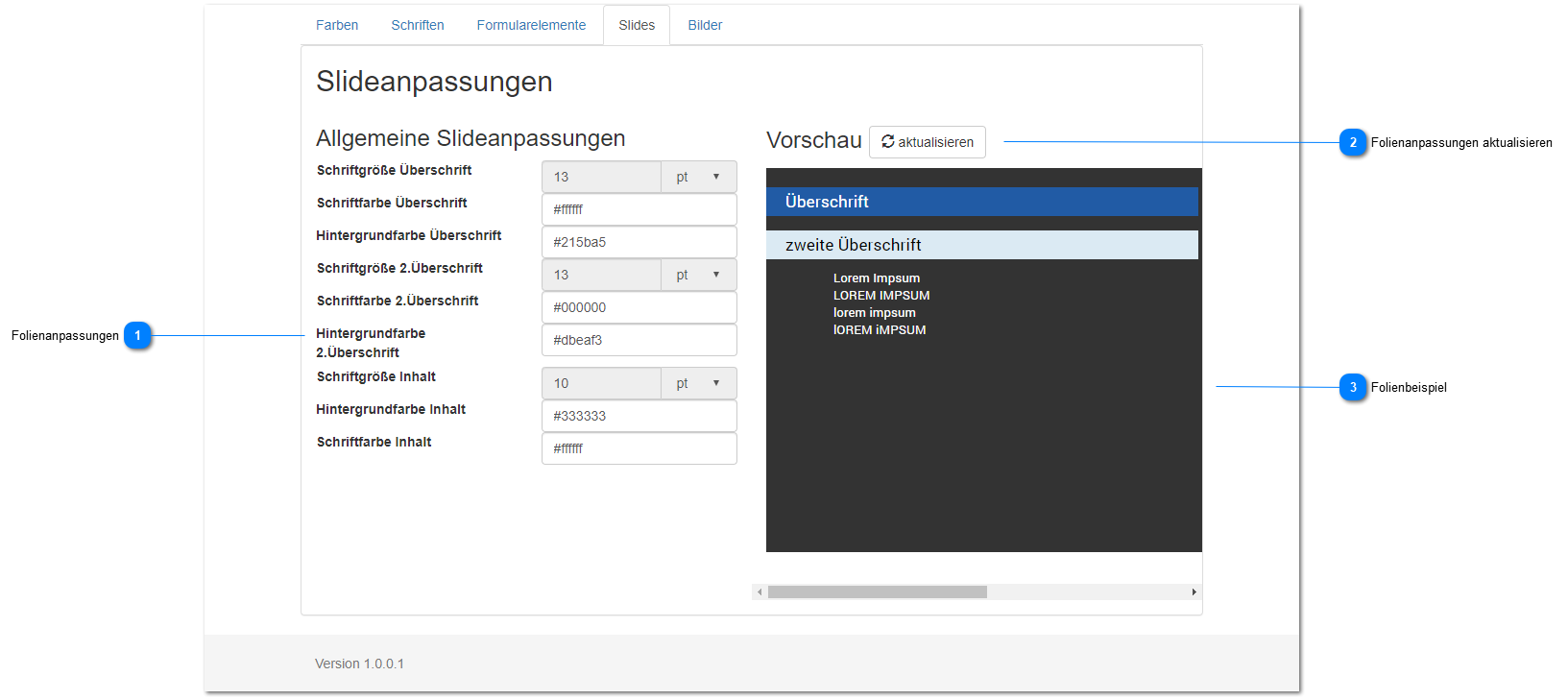
Slide Adjustments
Set the heading display for the slides.
You can change the font color and background for heading types 1 and 2 as well as the slide text.
All color values must be entered as a hexadecimal value (web color), for example #ffffff for white.
If you don't know these numeric values, you can set the color values using a color picker.
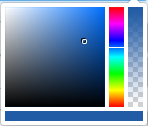
The color picker consists of 4 areas
- Square color selector - set the color
- Vertical color spectrum bar - select a color from the color space
- Vertical color gradient - adjust color saturation
- Horizontal color bar - selected color
The result, i.e. the chosen color, is set / output as a hexadecimal value in the relevant / associated input field.
The size settings are currently disabled to maintain the Q-Guide user experience.
If you would like changes to these dimensions / settings, please contact us.
Update Slide Adjustments
If the heading changes are not shown to you in real time, you can update the slide preview using this button.
Slide Example
Shows the selected slide with an example.