Tab "Q-Matrix™ Home Page"
The preferences of the "Q-Matrix™ Home Page" tab are as follows:
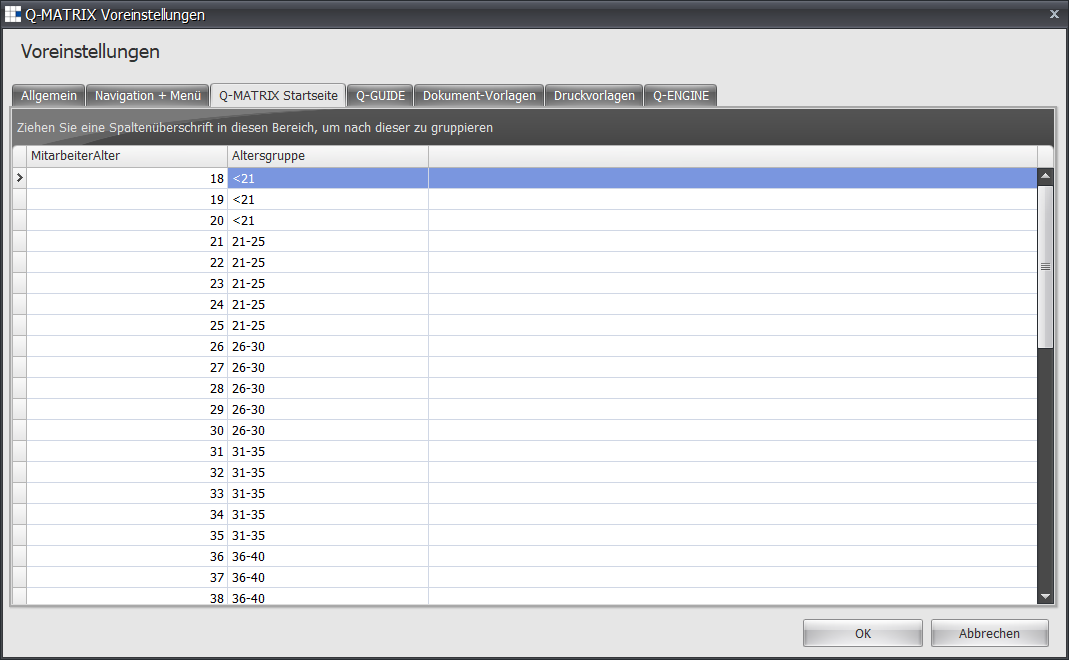
Here you can define the age groups for the age structure on the home page.
The default setting is shown, i.e. grouping in 5-year steps, as well as under 21.
To make an adjustment, mark the row to be changed and enter the new age group label in the "Age Group" column.
Example:
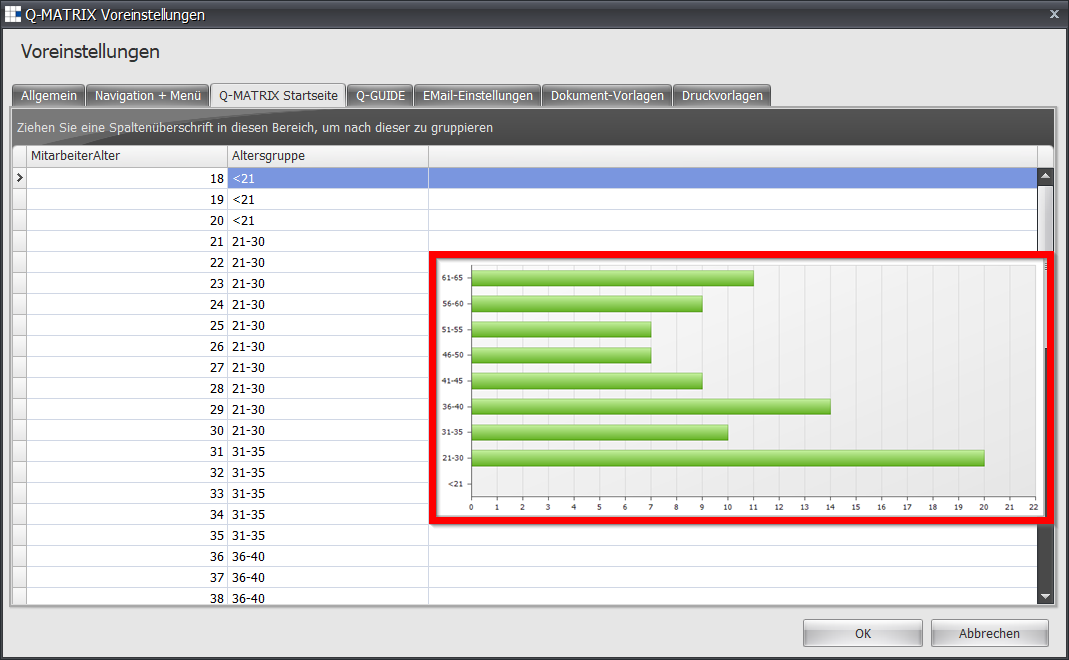
Instead of 21-25 and 26-30, the label 21-30 is entered in the affected rows in the "Age Group" column.
In the image below, the corresponding result on the home page can be seen in the bar chart outlined in red.