



Preferences
Allows you to manage the general preferences of Q-Guide (Usable only by the ROOT role).
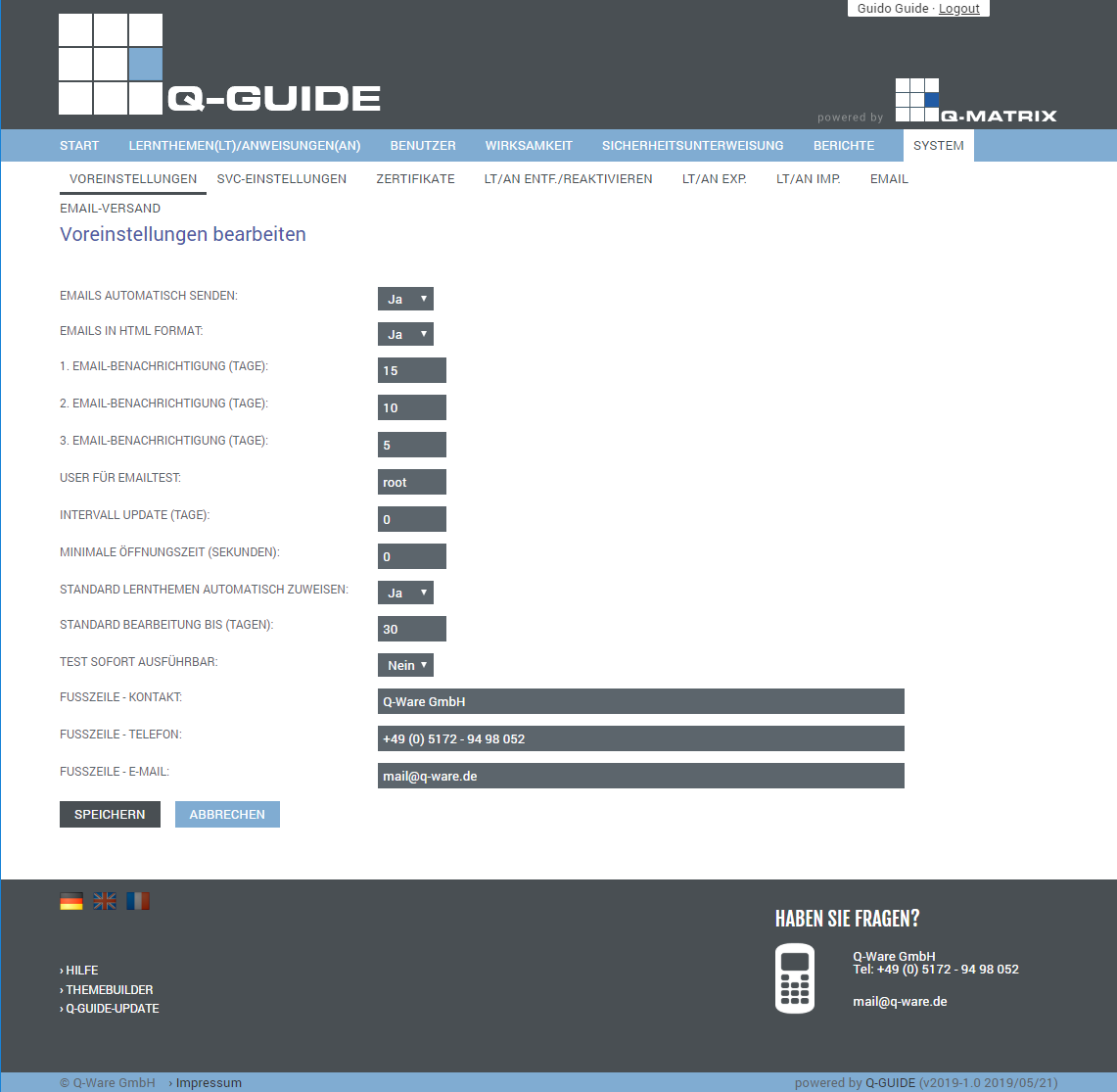
You can make the following settings:
| Send Emails Automatically | Allows you to specify (default: Yes) whether emails are always sent automatically. |
| Send Emails in HTML Format | Allows you to specify (default: Yes) whether emails are always sent in HTML format |
| 1st Email Notification | Specify how many days before the due date a first email should be sent as a reminder. This email is then shown accordingly in the email delivery overview. (Default: 30 days) |
| 2nd Email Notification | Specify how many days before the due date a second email should be sent as a reminder. This email is then shown accordingly in the email delivery overview. (Default: 15 days) |
| 3rd Email Notification | Specify how many days before the due date a third email (final warning) should be sent as a reminder. This email is then shown accordingly in the email delivery overview. (Default: 5 days) |
| User for Email Test | Enter the user you want to use for sending test emails. This user is initially set to the ROOT user. |
| Interval Update | Specify a numeric value to be used for fixed recurrence periods. (Default: 0 [zero] days) |
| Minimum Open Time | Specify a numeric value (default: 0 [zero] seconds) for how long a user must have a page of a learning topic / instruction open. If the specified value is 0 [zero], the user can switch between pages immediately. |
| Automatically Assign Default Learning Topics | Allows you to specify (default: Yes) whether learning topics marked accordingly are assigned automatically. |
| Default Due Date | Specify a numeric value for how many days a user has to complete the learning topic / instruction. That is, this number is added to the current date so that the future date is set correctly upon assignment. (Default: 30) |
| Test Immediately Available | Specify whether a knowledge test for a learning topic can be taken immediately. That is, working through / viewing the learning topic / work instruction beforehand is not required. (Default: No) |
| Footer - Contact | Enter your company here. (Default: Q-Ware GmbH) |
| Footer - Phone | Enter the phone number for your internal support here. (Default: +49 (0) 51 72 - 94 98 052) |
| Footer - Email | Enter the email for your internal support here. (Default: [email protected]) |
The Save button applies all the settings you have made to the database.
From this moment on, these settings are active and taken into account.