



Tab "General 2"
The preferences of the "General 2" tab are as follows:
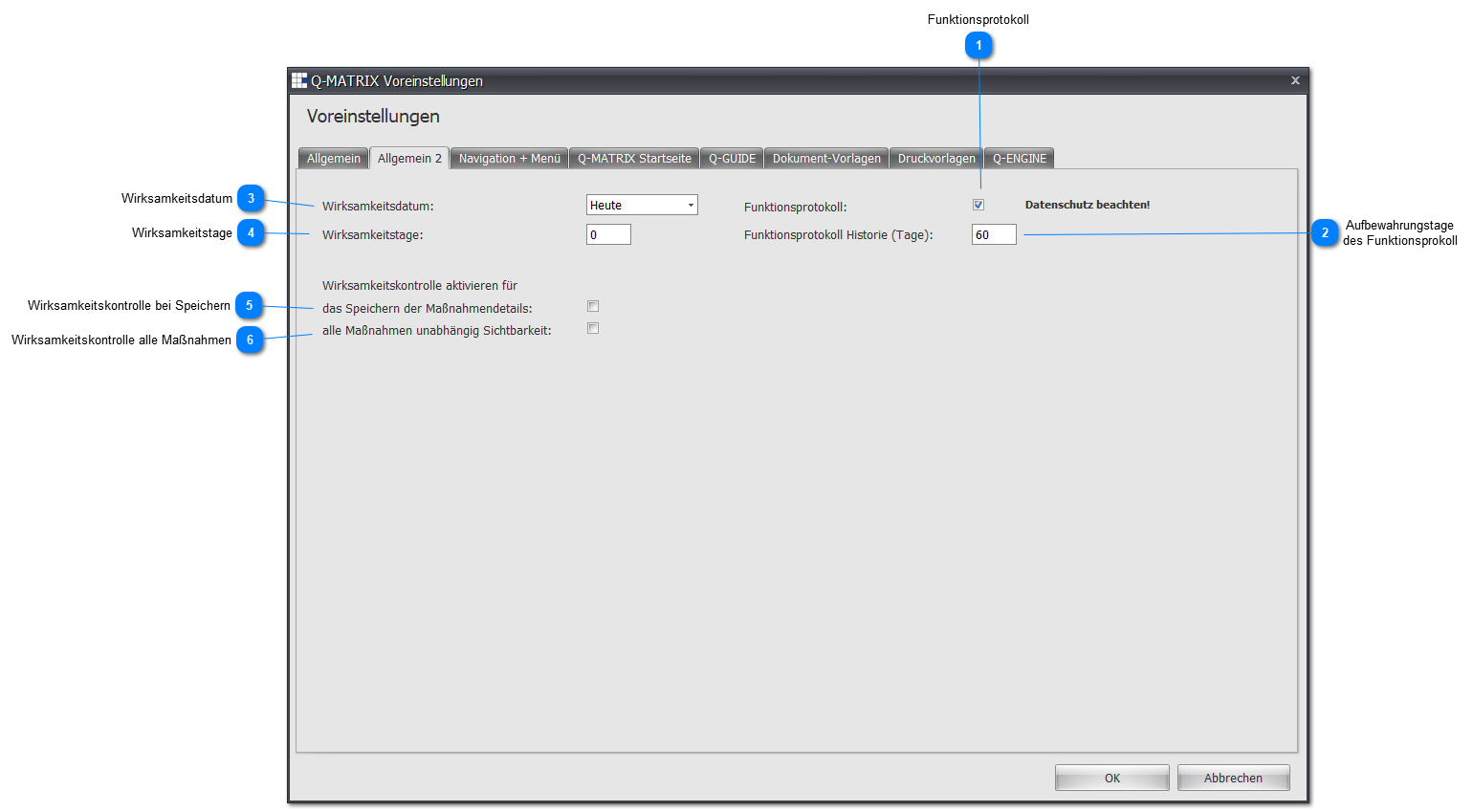
 Function Log
If this function is enabled, the function log is activated, and a corresponding menu item becomes available for selected roles at the next login.
Note:
Before enabling this function, make sure that this function may be used within the scope of your data protection obligations.
By default, this function is disabled, and no entries are created for the function log.
 Retention Days of the Function Log
Defines how many days into the past the function log should be retained.
It is recommended not to use more than 60 days, and to use fewer if needed (e.g. 30).
 Effectiveness Date
Here you can set the default date for an effectiveness review.
You can choose from the following default values:
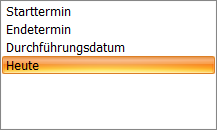
If you do not make any settings, today's date or an empty date is used.
 Effectiveness Days
Here you define how many days after the effectiveness date the review should take place.
The days entered here are added to the effectiveness date.
Example:
Start date: 10/10/2018
Effectiveness days: 10
Result: 10/20/2018
 Effectiveness Review on Save
If this function is enabled ( ), the documentation screen for the effectiveness review is opened afterward when saving a measure that requires an effectiveness review.
 Effectiveness Review for All Measures
If this function is enabled (), an icon button in measures management is available for performing a cross-person effectiveness review.