



Configuration
The configuration settings are as follows:
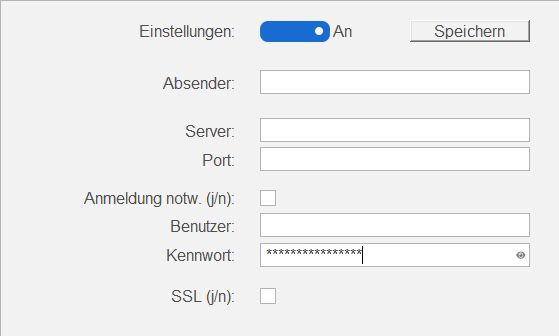
| Settings | In the ON position ( ), emails are sent, and in the OFF position ( ), emails are sent, and in the OFF position ( ), they are not ), they are not |
| Save | Clicking this button saves the currently visible settings of the content area |
| Sender | Must be an email address with which all outgoing emails are sent, for example [email protected] |
| Server | A DNS entry (e.g. mail.q-ware.net) or an IP address (e.g. 192.168.1.1) of the receiving email server. Emails are sent to this entry via SMTP. |
| Port | An integer specifying which IP port (e.g. 25, 587) the server can be reached on via SMTP |
| Login | If a login is required on the server, login must be activated ( ). Otherwise, login can be ignored ( ). Otherwise, login can be ignored ( ). ). |
| User | The username required for logging in to the server |
| Password | The password required for logging in with the username to the server. Clicking N can show or hide the password in plain text. |
| SSL | If encryption is required on the server for sending, it can be enabled () or disabled () here |