



Tab "Dates"
The "Dates" tab contains the management of all dates for a measure/training course.
A date wizard for bulk assignment is integrated into training planning.
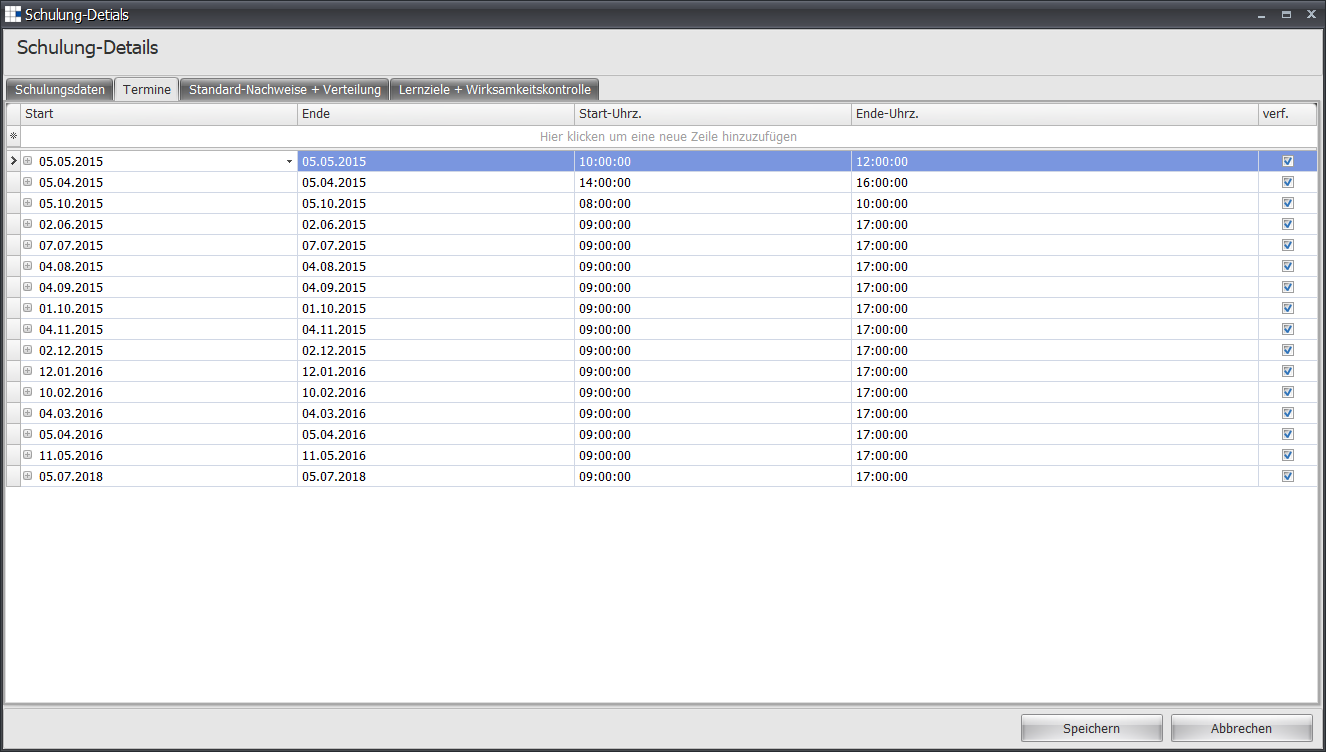
| Start | The start date of the measure for this date |
| End | The end date of the measure for this date |
| Start Time | The start time of the measure for this date |
| End Time | The end time of the measure for this date |
| Available | Indicates whether this date can be selected by users (small checkmark) or not |
Context Menu
Right-clicking a date opens the context menu.
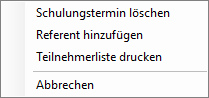
| Delete Training Date | Deletes the selected date | ||||||||||||||||||
| Add Instructor | Opens a date-specific instructor assignment: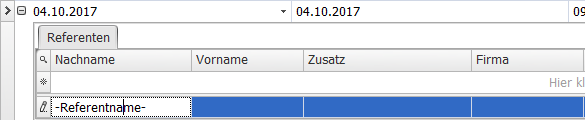 You can set the last name, first name, an addition, and any company affiliation. | ||||||||||||||||||
| Print Participant List | Opens the participant list overview and allows CSV export of this list: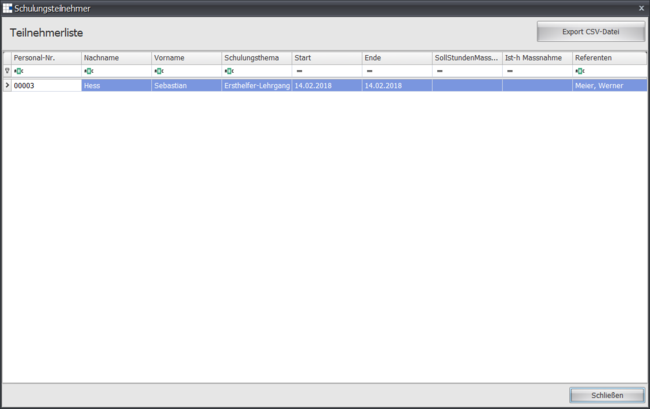 Shows all participant information in a tabular overview. These are:
|