



Setting Preferences
In the preferences, Q-Matrix™ can be adapted to your individual needs.
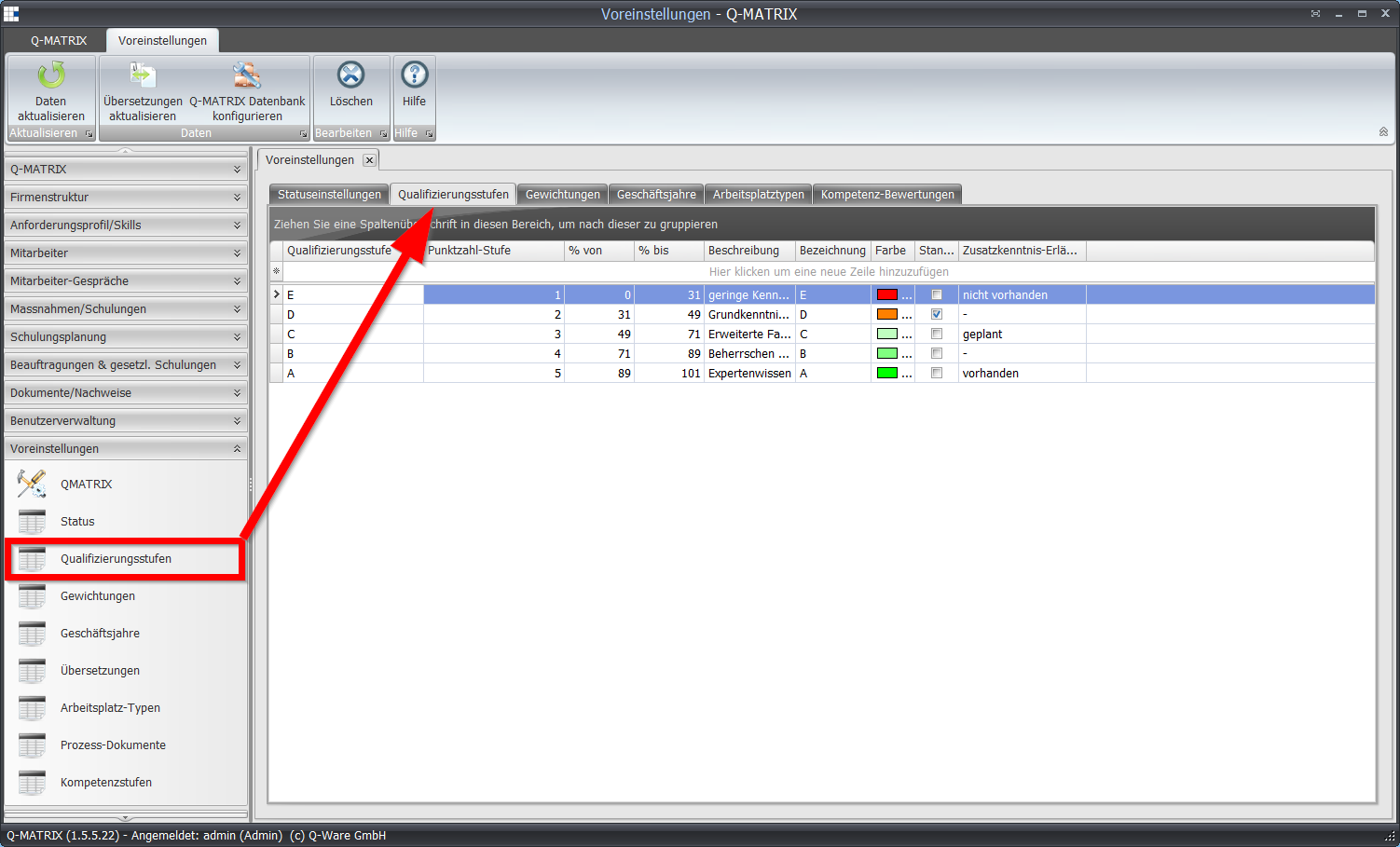
Change the terminology used in the program (menu item "Translations") to suit your preferences, or define your own weighting levels.
For more information on preferences, see the Preferences chapter.
We will first focus on the "Qualification levels" and "Fiscal years" tabs.
Qualification levels
Navigate to this section of the program by selecting the Qualification levels menu item under Preferences in the menu bar.
The qualification levels are used in the qualification matrix to evaluate employees.
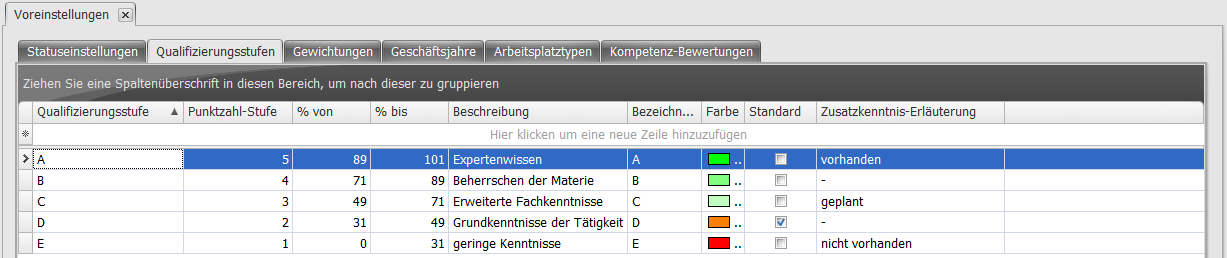
You are free to choose how the levels are divided.
The default setting (see image - best practice) initially provides for five qualification levels.
Of course, you are welcome to define your own qualification-level system in Q-Matrix™.
Commonly used are the 3-level system (traffic-light system) and the 6-level system (school-grade system).
Notes on the individual fields can be found in the "Qualification levels" section.
Fiscal years
Now switch to the Fiscal years tab.
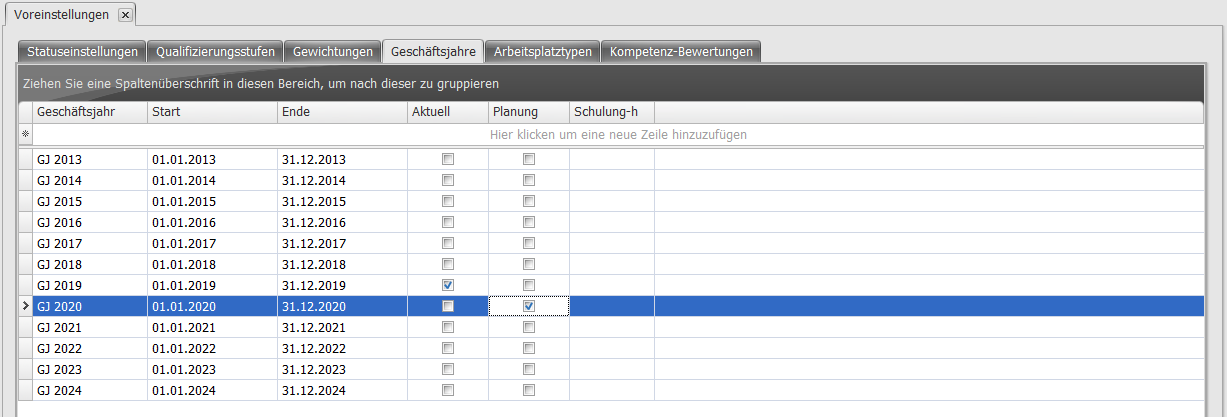
Here you can define your fiscal years. In most cases, a fiscal year will match the calendar year.
If this is not the case for you, you can make the corresponding settings here.
Please use the "Current" and "Planning" fields to specify which is the current fiscal year and which is the following one.
| Column | Content |
|---|---|
| Fiscal year | Name of the fiscal year |
| Start | Start of the fiscal year |
| End | End of the fiscal year |
| Current | Shows whether this is the current fiscal year |
| Planning | Shows whether this is the next (planned) fiscal year |
| Training hours | If your organization uses a minimum training hours requirement, you can enter the total measure hours per employee per fiscal year here. |